
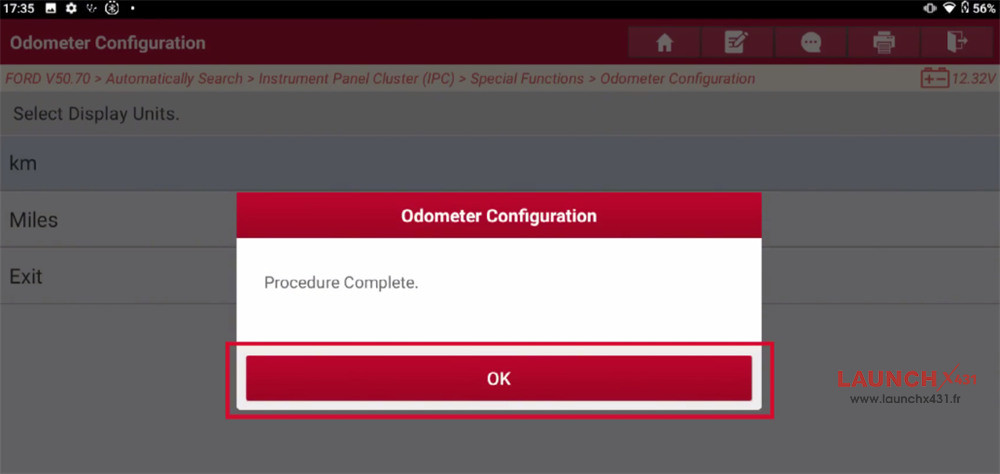
In this post, you will learn how to write the correct odometer value into a replaced instrument cluster on a 2023 Ford Transit using Launch X431 diagnostic tool (such as X431 PRO3 LINK HD/V+ SmartLink HD).
Function Description:
This function is used to write the correct odometer value into a replaced instrument cluster.
Tested Model:
2023 / Ford / Transit
Compatible device:
All comprehensive Launch X431 diagnostic tools (X431 PAD V, PAD VII, PRO5, etc)
Operation guide:
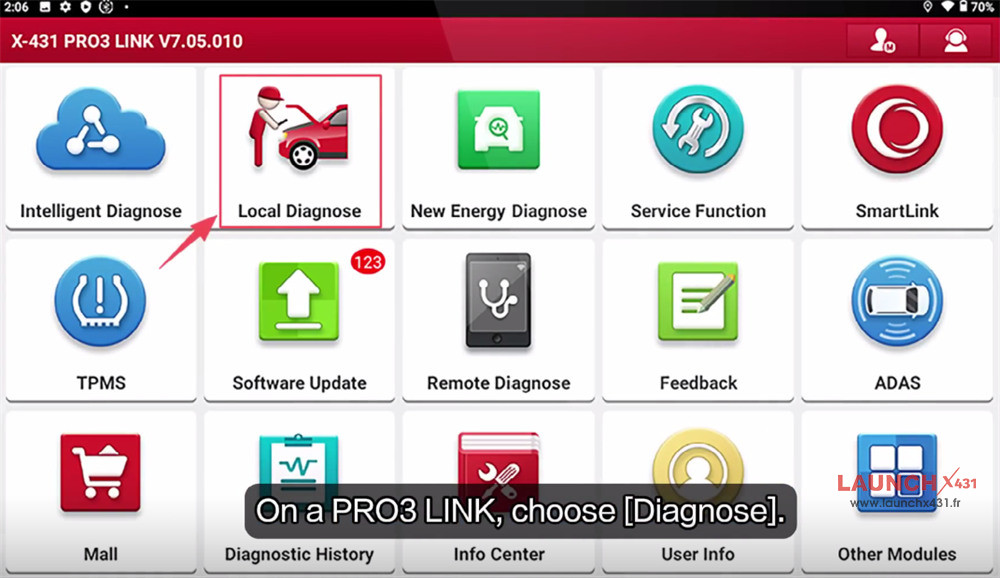
Navigate to [Local Diagnose] on the main menu of X431 tablet

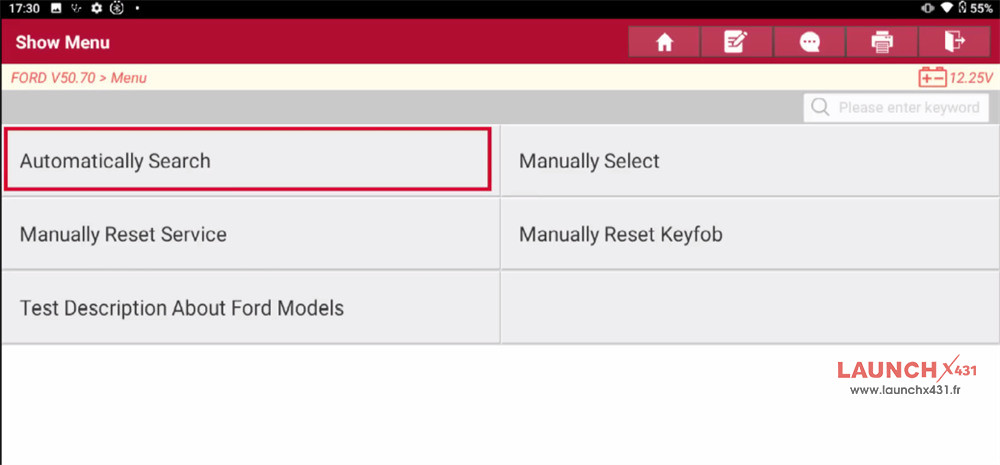
Select Ford-> Ford diagnostic software-> Automatically Search

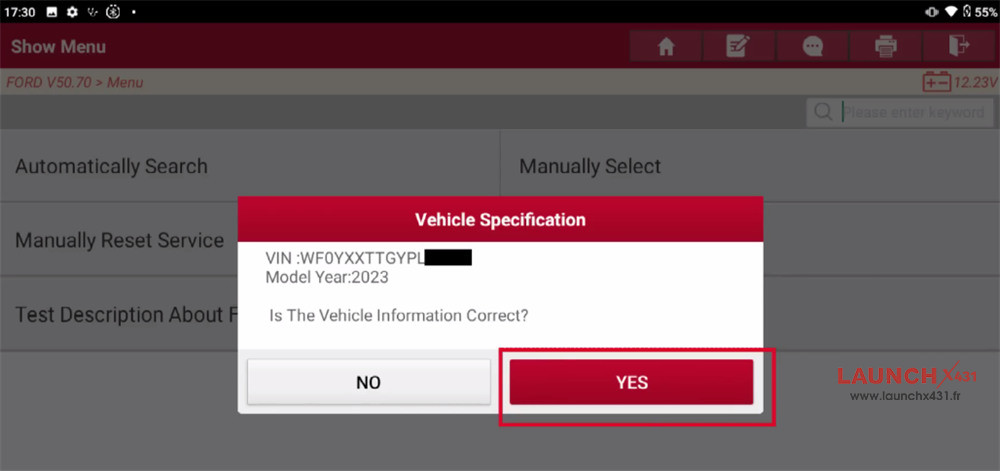
Set the ignition to ON (position II)
Confirm if the vehicle info is correct

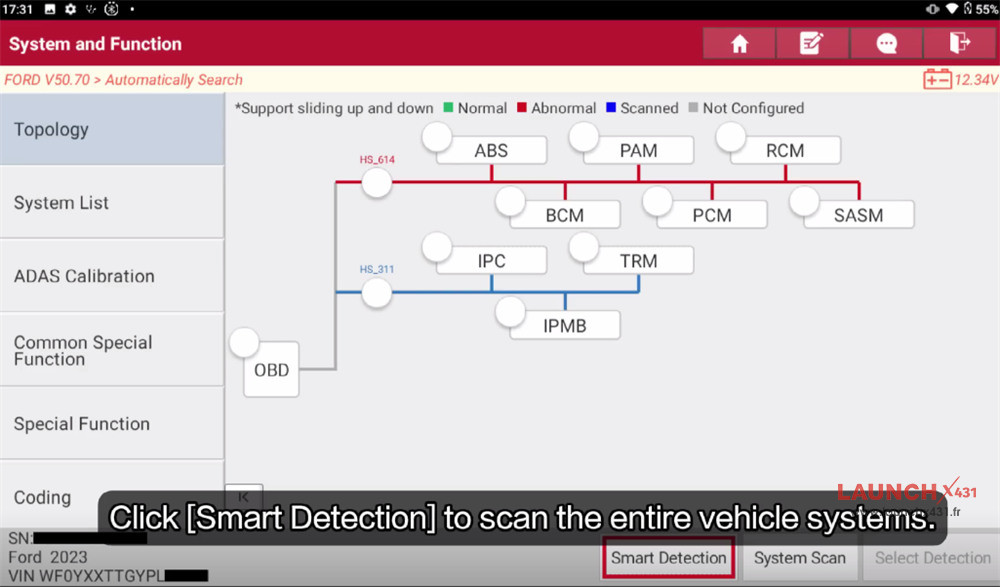
Click [Smart Detection] to scan the entire vehicle systems

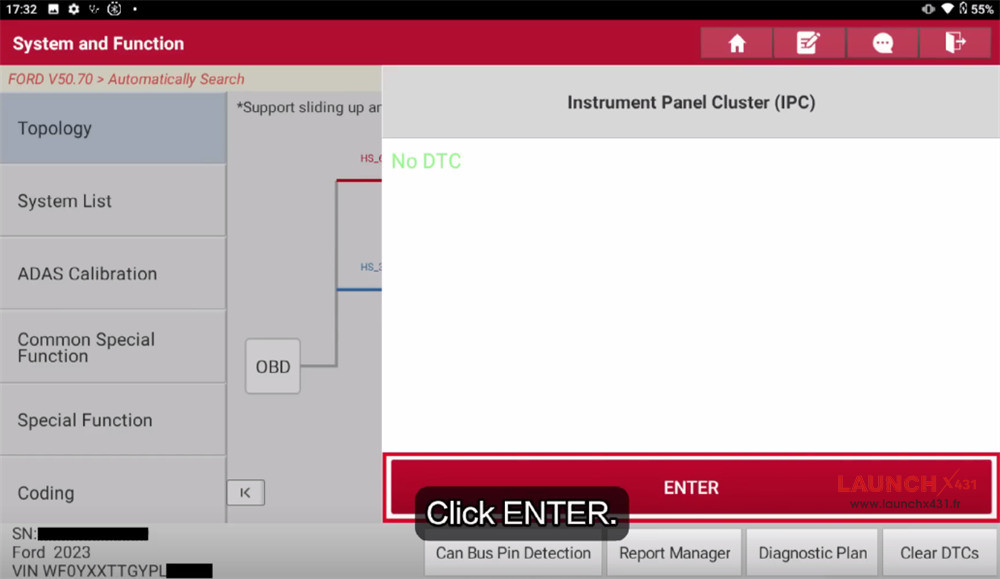
Select Instrument Panel Cluster (IPC) to enter the system

Choose Special Functions-> Odometer Configuration
Note:
The odometer value can only be incremented. It is not possible to reduce the displayed value.
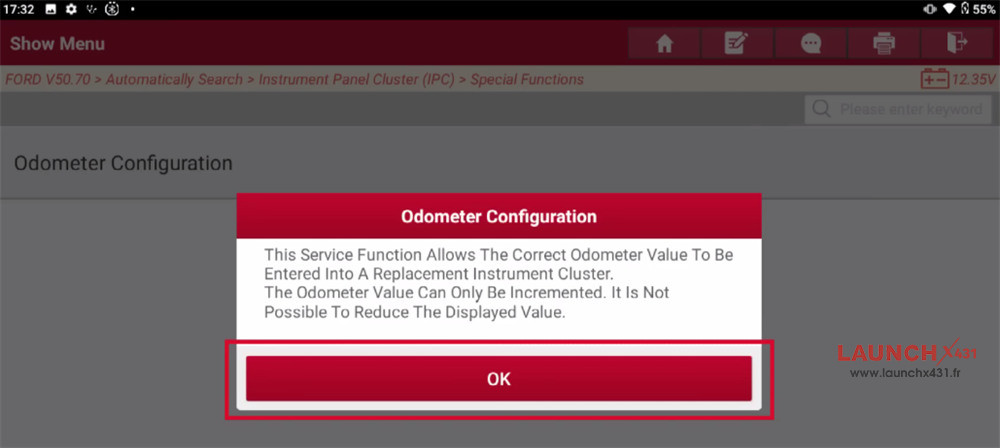

Confirm to continue
Turn ignition to on (position II)
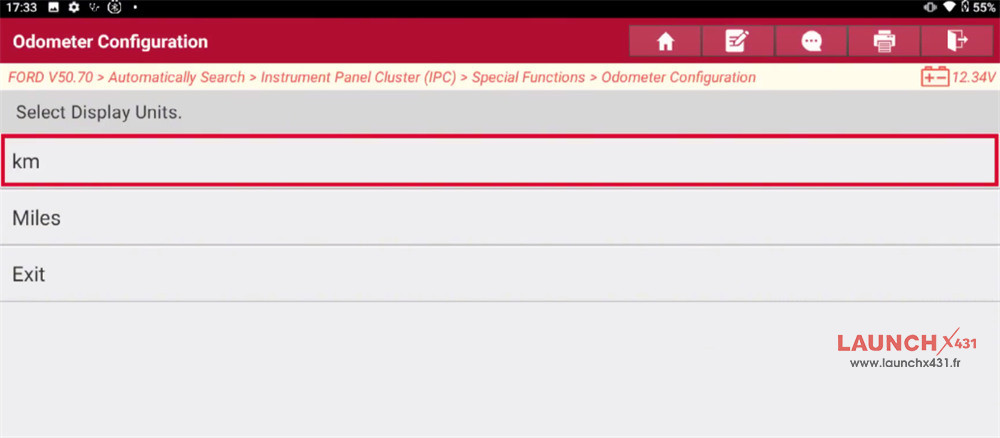
Choose the display unit for odometer readings. Kilometers are used as an example.
The procedure for miles is identical. Choose [Exit] to quit the program directly

Enter the new odometer value in integer format (e.g.888)
Confirm the odometer value entered and confirm to program this value into the instrument cluster
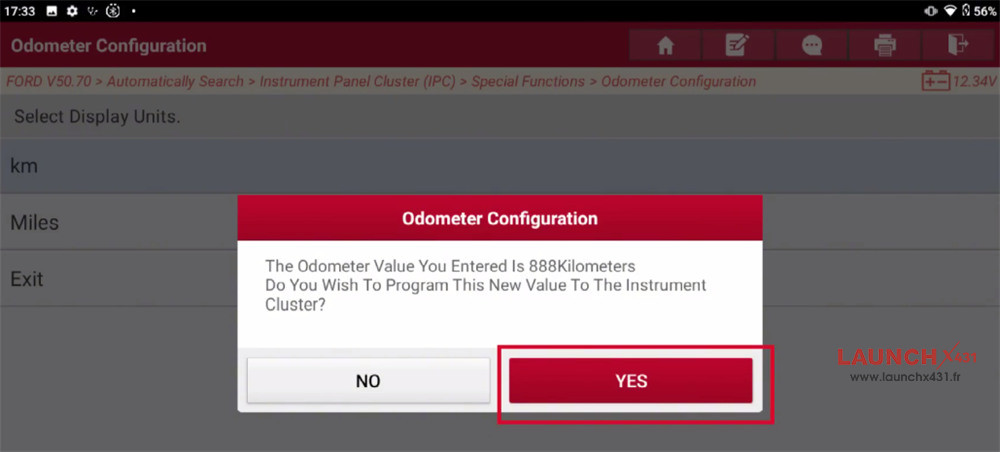

Wait for the new odometer value to be written into the instrument cluster
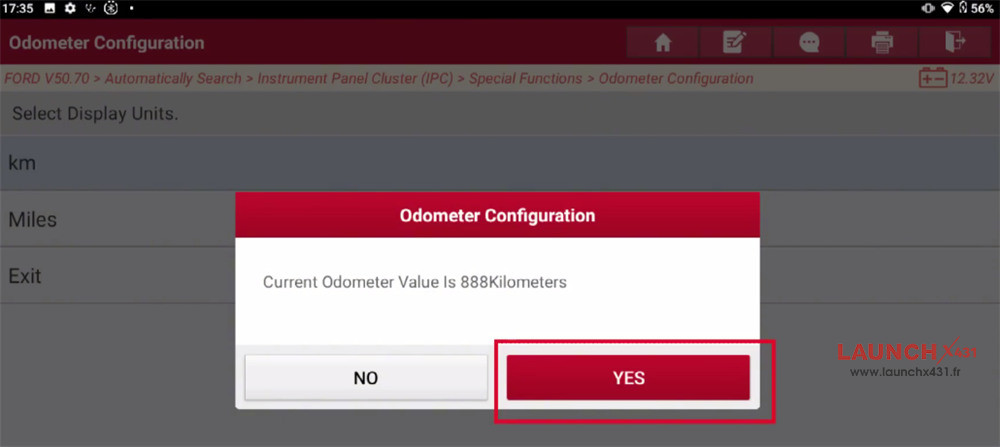
The current odometer value is displayed. Confirm whether the new odometer value is successfully written

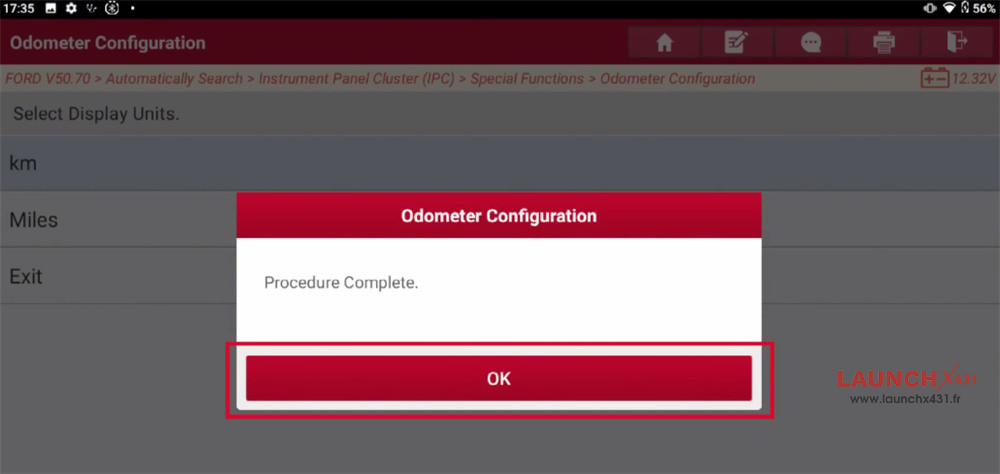

Finally, turn the ignition switch to OFF (position 0) to exit the program
Video guide:
