To check your Launch X431 username, use the “Retrieve Password” function in X431 App, entering your device’s serial number will automatically reveal the associated username and registered email, allowing you to recover it by sending a verification code to that email.
This guide may be applicable to All Launch Android-based scanners.
X431 PAD V (PAD 5), PAD VII (PAD7)
3.X431 IMMO series
CRP919X, CRP919E, CRP919XBT, CRP919EBT, Creader Elite 2.0, CRP123X Elite, CRP123E Elite,
And more Launch X431 tablets.
Steps to Find Your Username:
1.Open the App: Launch X431 app on your diagnostic tool.
2.Go to Login: Tap “Login” button, usually in the upper right corner.
3.Select Retrieve Password: Choose “Retrieve Password” or “Forgot Password” option.
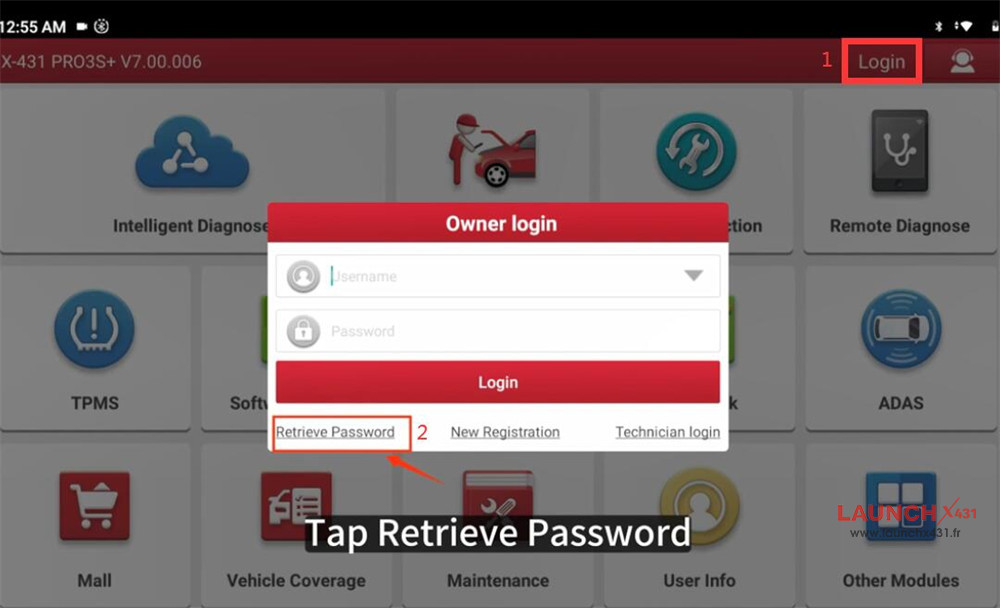

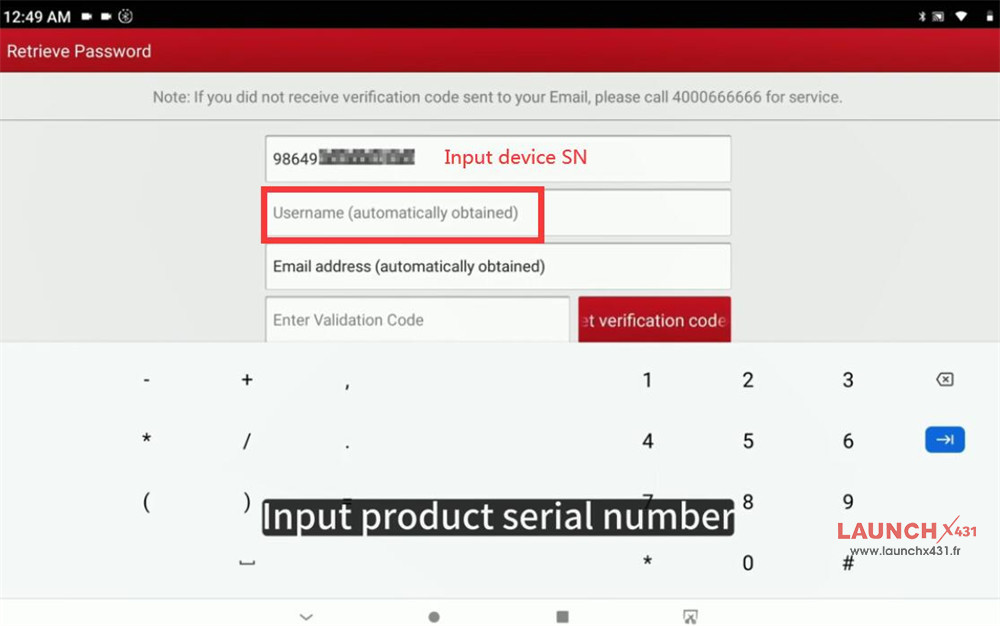
4.Enter Serial Number (SN): Input the 12-digit serial number, found on the back of your device.
5.Username Revealed: The registered username and email address linked to that SN will automatically appear.
6.Verify via Email: Click “Get Verification Code by Email,” then enter the code from your inbox to reset your password if needed.

If You Don’t Know Your SN:
Contact your Launch dealer or supplier with screenshots of your device’s order number or the back of the scanner.
Read also:
How to reset password and change bound email on Launch X431 tablet?