If your Launch X431 PAD VII Elite appeared “The diagnostic software file is lost or damaged. You are advised to delete the software and download it again”, please follow the method below to solve it.
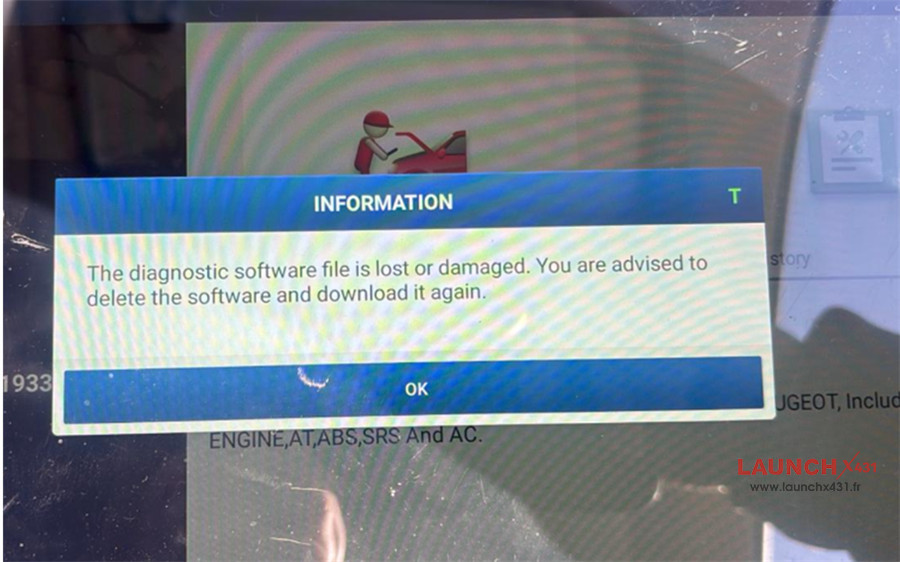

Possible cause:
Losing the software on X431 PAD VII (PAD7) is a common headache, usually caused by a system crash, an accidental deletion of the cnlaunch folder, or a factory reset.
Solution:
The good news is that your licenses are tied to your device’s Serial Number (S/N), so you won’t have to pay to get them back.
Here is the step-by-step process to restore your diagnostic capabilities.
1. Reinstall the Main Application (X-431 APK)
If the actual X-431 icon is missing from your home screen, you need to reinstall the “shell” app first.
Most PAD VII tablets have a built-in recovery app.
Look for an icon labeled “APP Init”
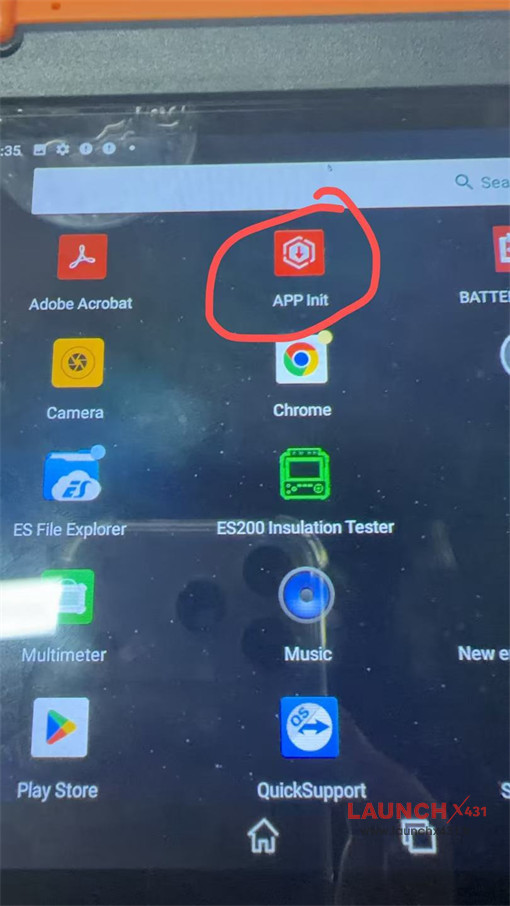

Open it, enter your 12-digit Serial Number, and tap OK.
It will automatically fetch and install the correct version of the diagnostic app for your hardware.
2. Log In and Restore Vehicle Brands
Once the app is open, it will likely be empty. You need to pull your licenses from the Launch server.
Tap Login (top right corner).
Enter your Username and Password.
Note: If you’ve forgotten these, use the “Retrieve Password” function. You will need your Serial Number from the back of the tablet.
Go to the Software Update (or Upgrade) module.
The tablet will query the server and show a list of all vehicle brands (BMW, Toyota, Ford, etc.) that you are licensed to have.
Tap Update All (or Select All then Download). This may take a while depending on your internet speed, as it is downloading several gigabytes of data.
3. Clear the Cache (If software is “missing” but installed)
If the app is there but behaves strangely or claims software is missing, the local database might be corrupted.
Go to User Info (or Profile) -> Settings.
Select Clear Cache.
Restart the application and check the Software Update section again.
Important Troubleshooting
- “Activation” Prompt: If the app asks for an activation code, it means you aren’t logged into the original account. You only use the activation code once during initial setup. After that, your S/N is bound to your username.
- VCI Connection: After reinstalling, make sure to plug your Smartlink C VCI into a vehicle and the tablet to ensure the Firmware Fix/Update runs. This syncs the tablet software with the connector hardware.
- Storage Space: Ensure you have at least 20GB of free space before hitting “Update All,” or the installation will fail halfway through.
Read also:
How to Solve Launch X431 Accidental App Deletion or Installation Issues?
How to Solve Launch X431 PAD VII Lost Car Software after Upgrade?
Tech support:
E-Mail: sales@LaunchX431.fr
WhatsApp: +86 18750906257