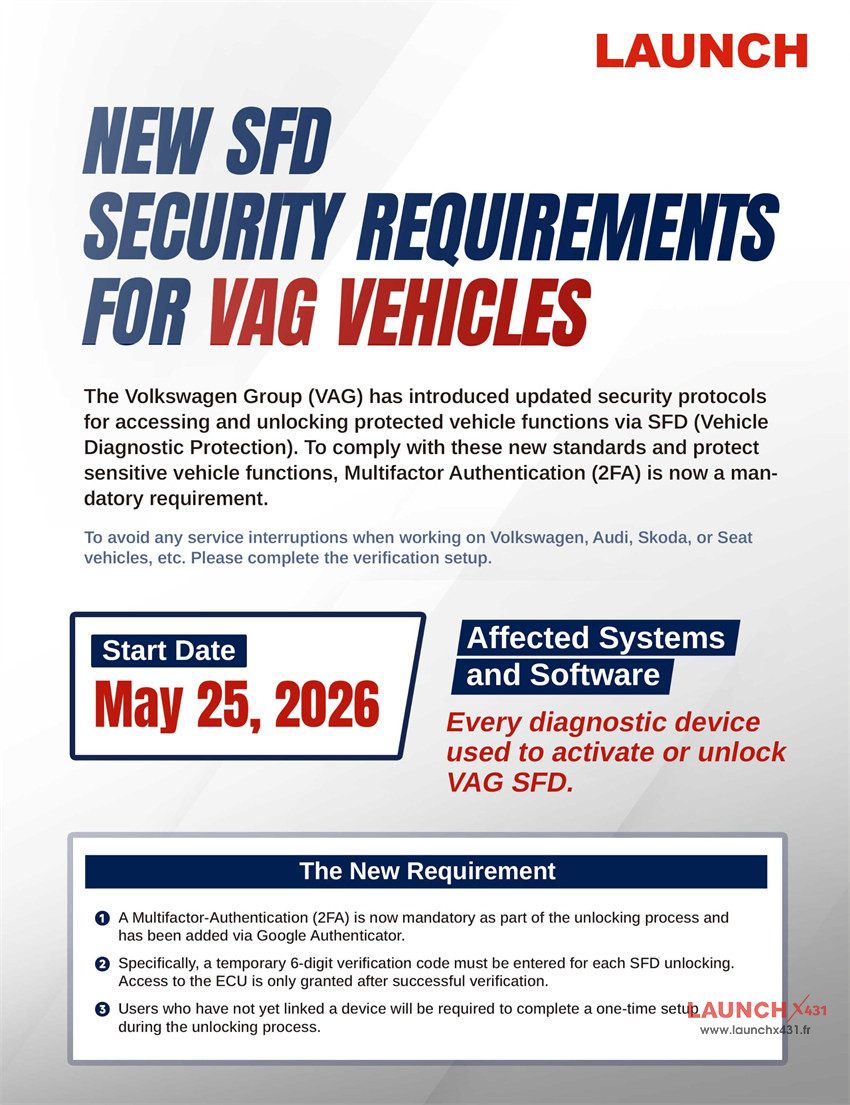
If you use Launch X431 diagnostic tools to service Volkswagen Group (VAG) vehicles, there is a crucial security update you need to know about. To protect sensitive vehicle functions, VAG has introduced updated security protocols for accessing and unlocking protected features via SFD (Vehicle Diagnostic Protection). Multifactor Authentication (2FA) is now a mandatory requirement to avoid service interruptions when working on Volkswagen, Audi, Skoda, or Seat vehicles.
Key Details & Effective Date
- Start Date: May 25, 2026
- Affected Systems and Software: Every diagnostic device used to activate or unlock VAG SFD.
New 2FA Requirement:
To comply with the new VAG standards, the unlocking process now incorporates an extra layer of identity verification:
- Mandatory 2FA: Multifactor Authentication has been integrated via Google Authenticator as a mandatory part of the SFD unlocking process.
- Temporary Verification Codes: Users must enter a temporary, 6-digit verification code for each SFD unlocking attempt. Access to the ECU is only granted after this verification succeeds.
- One-Time Setup: If you have not yet linked your diagnostic device to an authenticator, you will be required to complete a one-time configuration setup during your next unlocking process.

Step-by-Step Guide to SFD-Unlock Verification
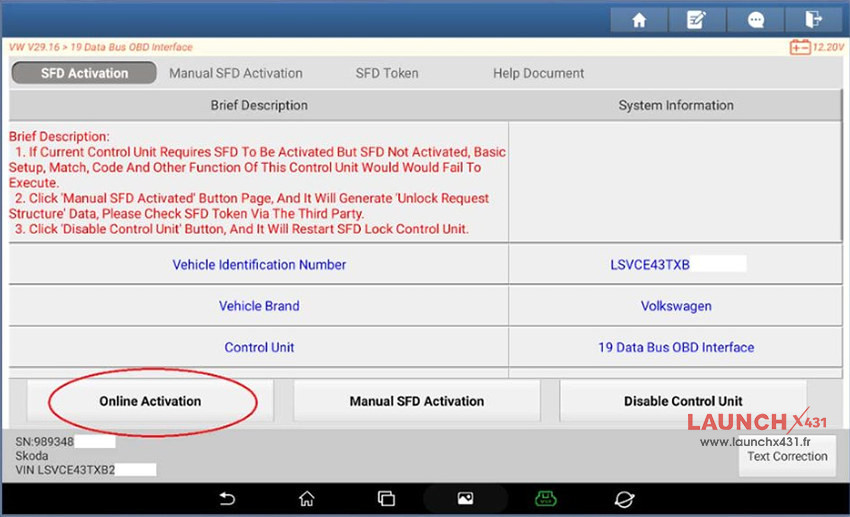
Step 1: Start the Procedure
Begin by initiating the standard SFD-Unlock procedure on your LAUNCH diagnostic scanner.
Compatible devices:
7-inch X431 Tools:
8-inch X431 Tools:
10.1-inch and above version X431 Tools:
- X431 PRO5
- X431 PRO3 ACE Elite
- X431 PRO3 APEX
- X431 PRO DYNO
- X431 PRO3S+ V5.0 Elite
- X431 PRO3S+ Elite
- X431 PRO3 V+ Elite
- X431 PAD V
- X431 PAD VII
And more
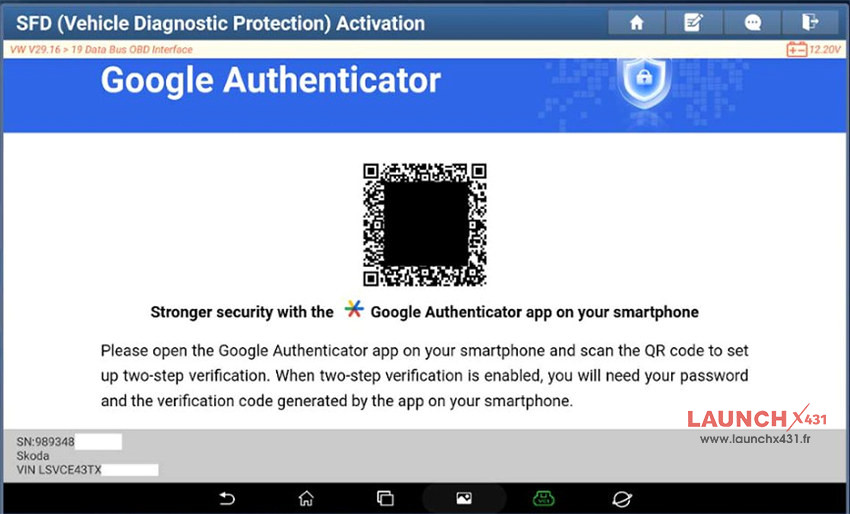
Step 2: Scan the QR Code (Initial Setup Only)
If it is your first time using the updated system, a QR code will display on the screen under a “Google Authenticator” window. Open the Google Authenticator app on your smartphone and scan this QR code to link your device.
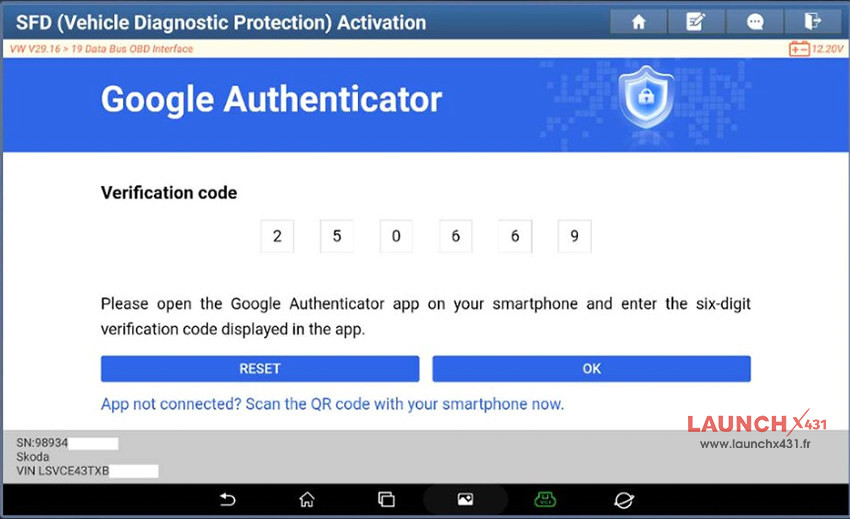
Step 3: Get Your Temporary Code
Once linked, the Google Authenticator app on your phone will generate a temporary 6-digit verification code.
Step 4: Enter the Verification Code
Type the 6-digit code from your smartphone directly into the input boxes on your LAUNCH diagnostic device’s SFD-Activation screen, then confirm.
Step 5: Vehicle Diagnostic Unlocked
After successful verification, the SFD restriction is released, and the vehicle diagnostic functions are unlocked for your service work.


Need Support?
Make sure your Launch X431 diagnostic scanner is updated and you have the Google Authenticator app ready on your phone before your next VAG job.
Read also:
Launch Update One-Year VAG SGW License for X431 PAD/PRO/CRP919 BT Series
