This post demonstrates how to read a Mercedes-Benz 725 VGS-NAG3 9GT data using Launch X431 ECU Programmer and GODIAG Gearbox ISM Cable 5-in-1 on bench.
Preparation:
- Mercedes-Benz 725 VGS NAG3 9GT Gearbox
- Launch X431 ECU & TCU Programmer
- GODIAG Gearbox ISM Cable 5-in-1 Set (GODIAG Gearbox Adapter and Cable 5-in-1)
- One PC


Operation guide:
Step 1: Connect Device and Gearbox
Connect X431 ECU Programmer and PC via USB cable
Connect GODIAG Gearbox Adapter to X-431 ECU Programmer
Connect GODIAG Gearbox ISM Cable 5-in-1 to Gearbox Adapter and Benz 725 VGS NAG3 9GT gearbox correctly
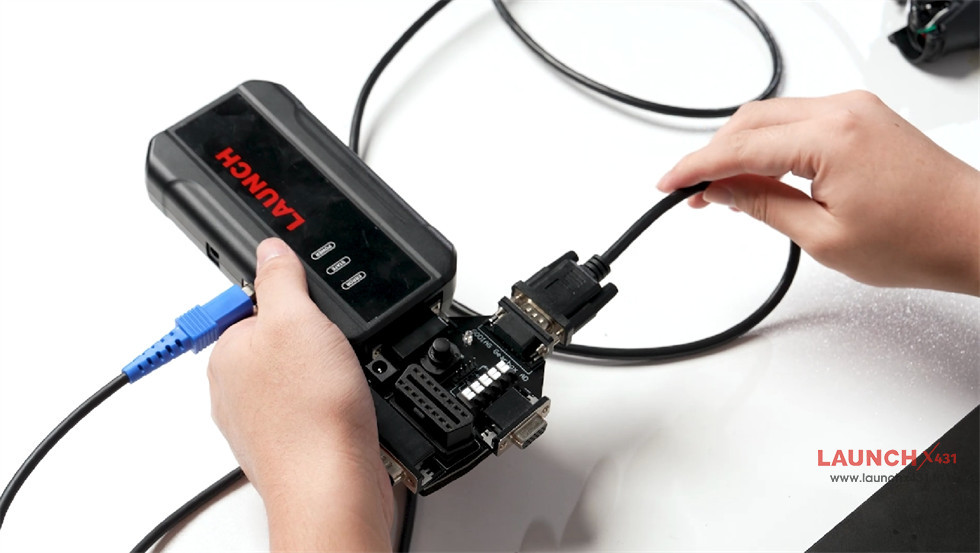


Press the power switch button on Gearbox Adapter


Supply power to Launch X-431 ECU Programmer as well
Whole connection diagram


Step 2: Read Gearbox Data
Run X-431 ECU Programmer PC software
Search “9G” to find the corresponding gearbox type- Mercedes C-Class VGS-NAG3 (9G Tronic)


Select “Bench” connection type

The power indicator flashes during reading ECU info.


Then connect ECU
Read EERPOM data and save data


Done!