Learn how to reset the remote start disable history on a 2021 Chevy Suburban with Launch X431 PRO3 LINK HD (X431 V+ SmartLink HD). This comprehensive guide walks technicians through the process of clearing disable logs to successfully fix and reactivate the remote start system.
Function Description:
It is necessary to perform this function after replacing the remote control or remote control battery, or replacing the vehicle control unit or related modules.
Compatible devices:
All comprehensive Launch X431 diagnostic tools (such as PAD V/PAD VII/PRO5…)
Step-by-step guide:
Connect Launch X431 V+ SmartLink HD to the vehicle
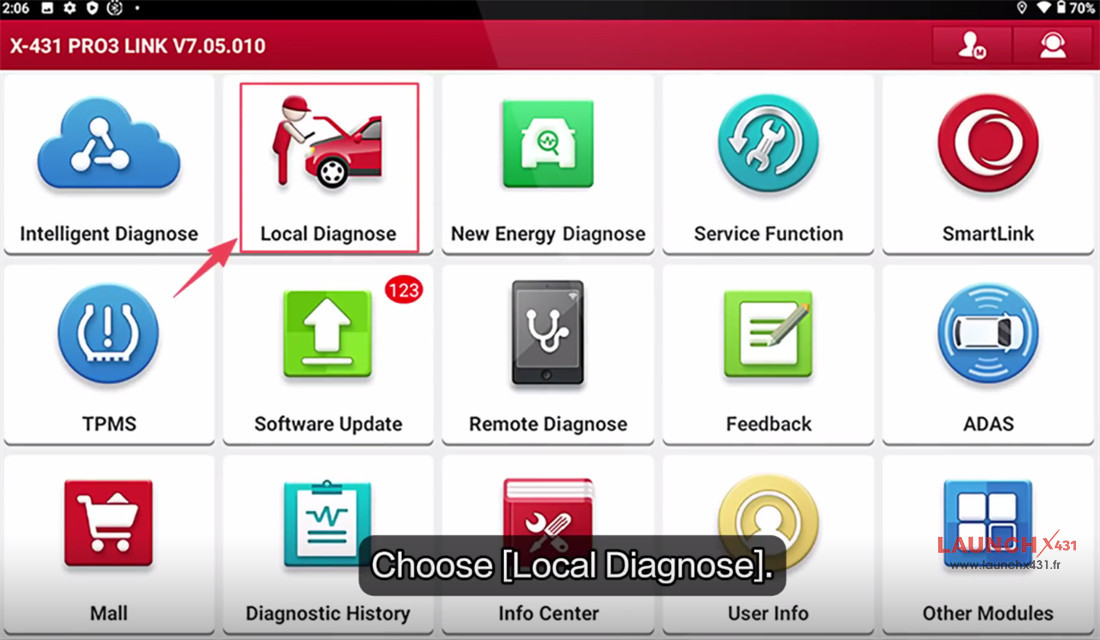
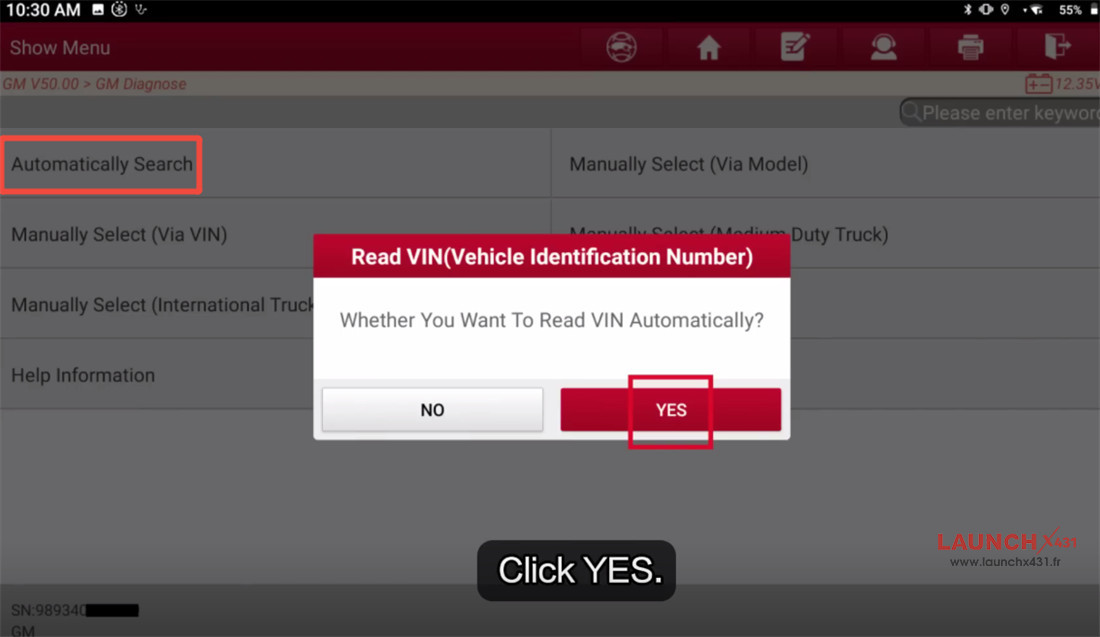
Navigate to Local Diagnose-> GM-> GM V50.00-> Automatically Search
Click “YES” to read VIN automatically
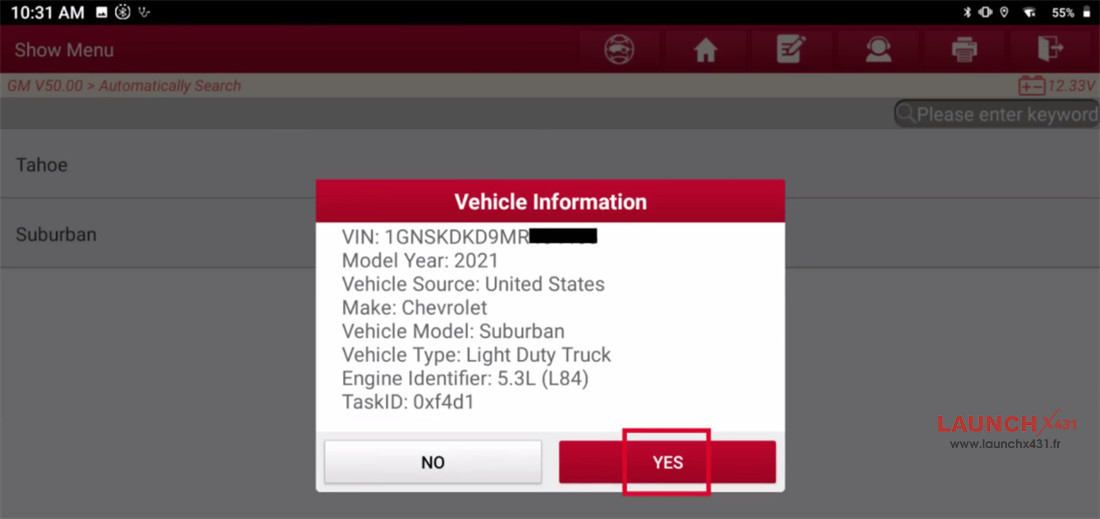
Confirm the vehicle info
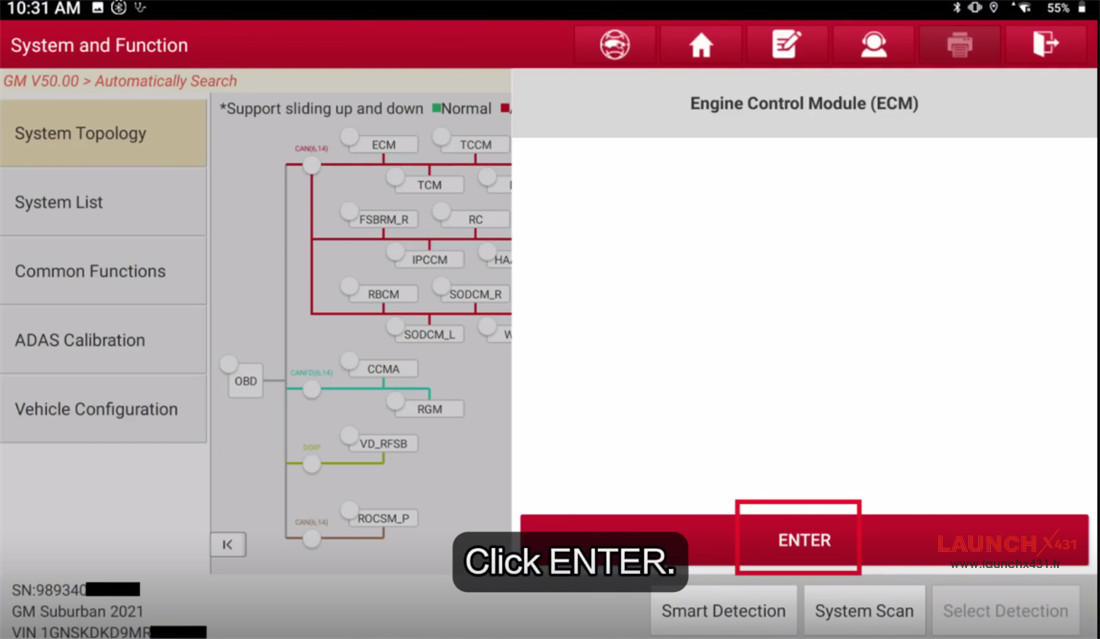
Select ECM (Engine Control Module)-> ENTER
Select Special Functions-> Reset Functions-> Remote Vehicle Start Disable History Reset
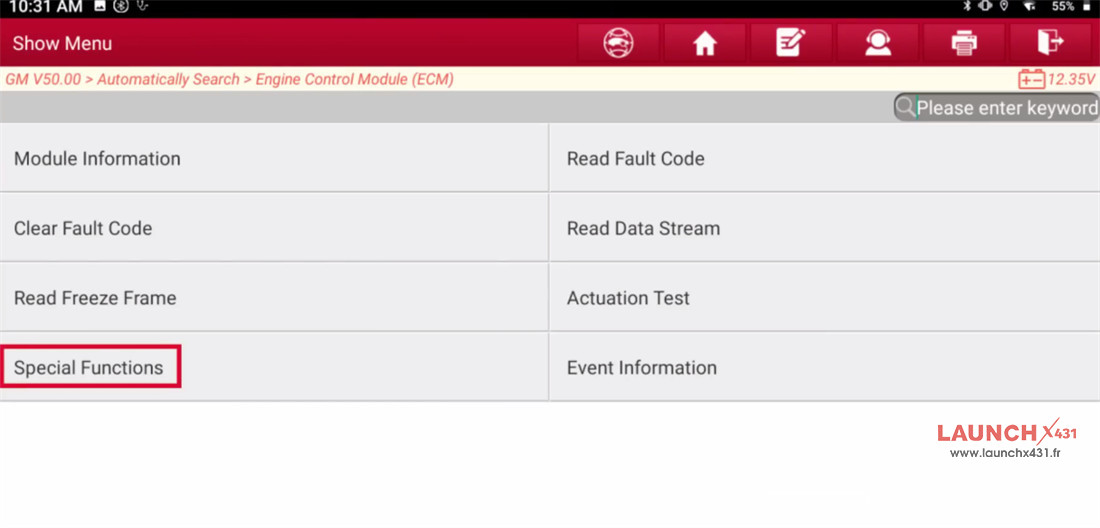
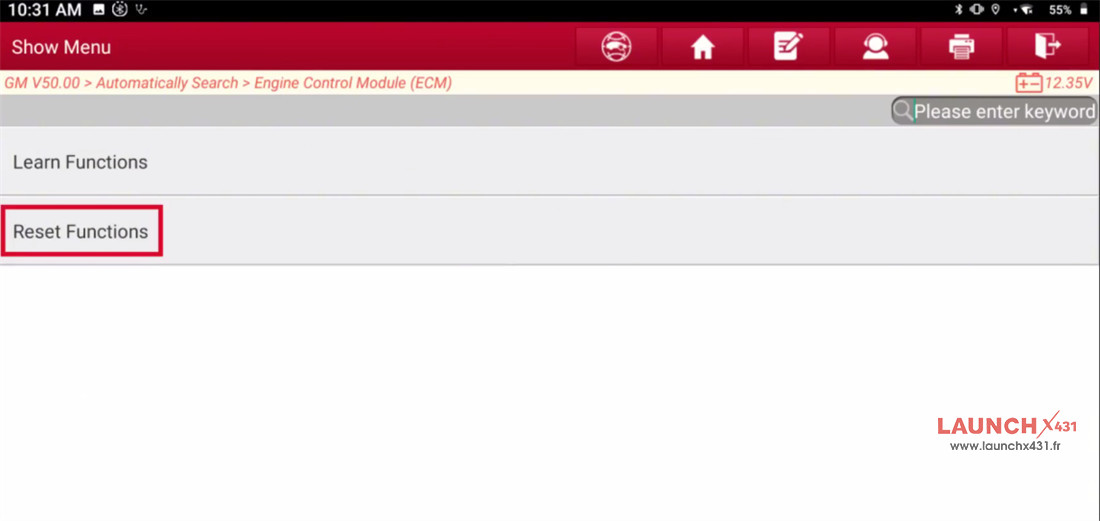
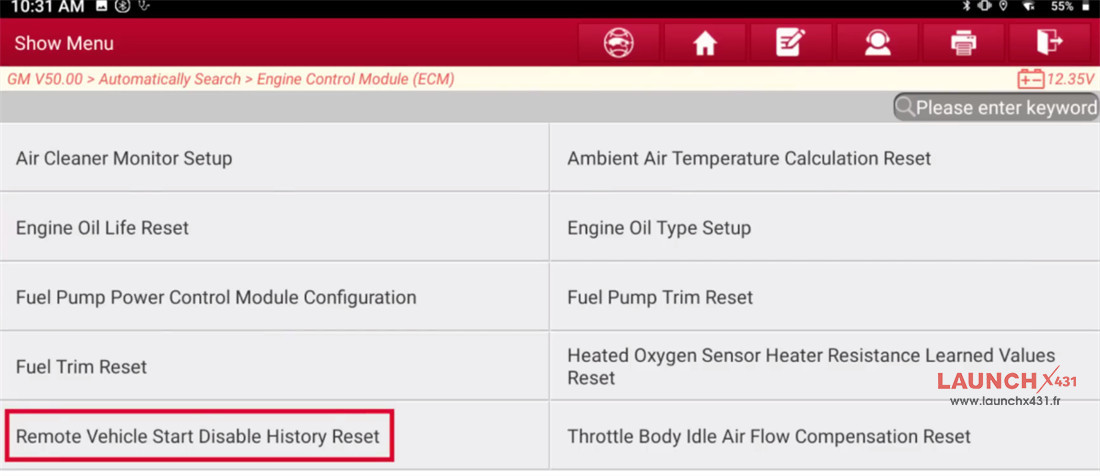
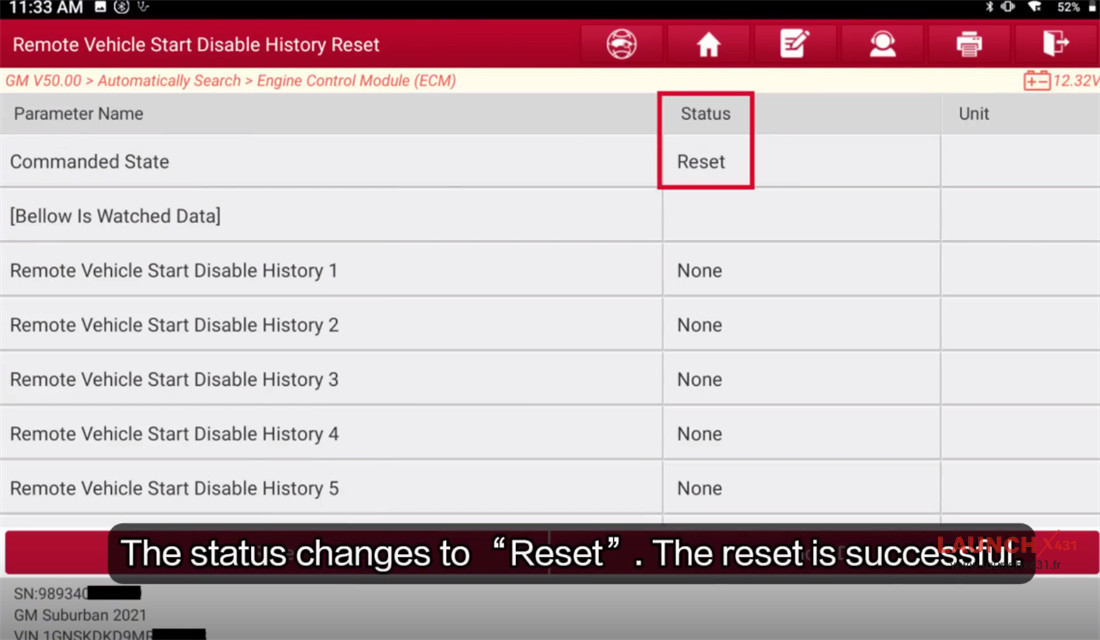
Before the function reset, the status is “None”, click “Reset”
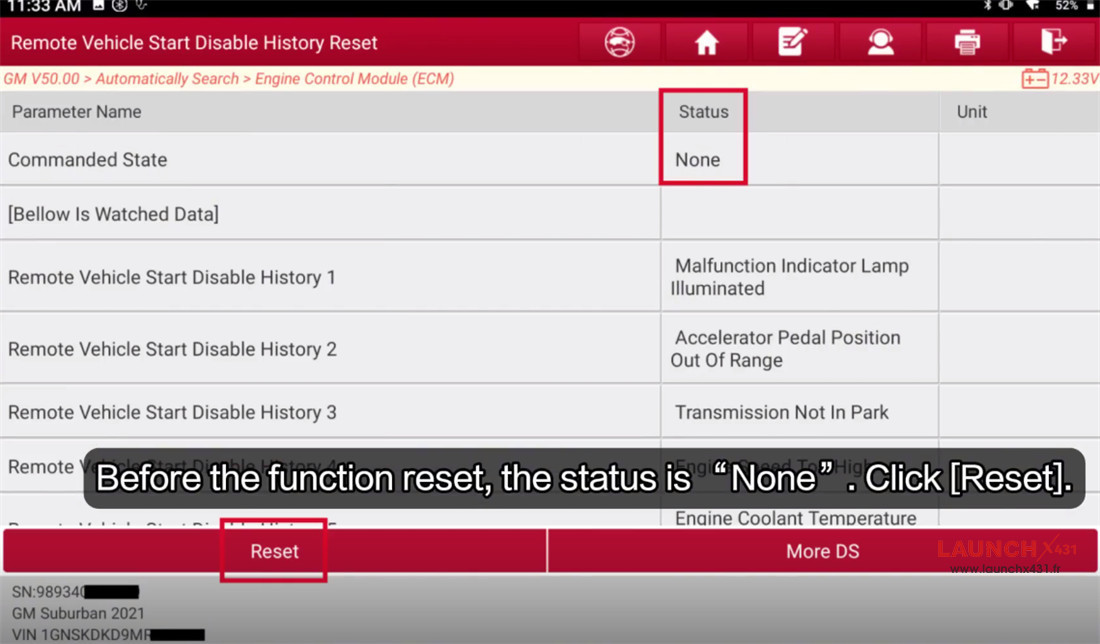
The status changes to “Reset”, that means the reset is successful.


Video guide:

www.launchx431.fr