If your Launch X431 PRO3S+ Smartlink HD shows an “Insufficient storage space” warning right after downloading software updates, you can clear space using two simple methods.
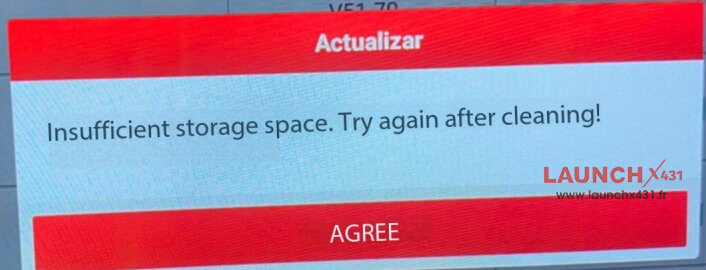

Why Does This Happen?
During system updates, the tablet saves old installation packages and temporary cache files. These accumulated files fill up the internal memory, causing the system error.
Solution 1: Delete the “cnlaunch” Folder (Recommended)
This method removes leftover update files without deleting your diagnostic settings.
- Open the tablet File Manager.
- Locate the cnlaunch folder in the internal storage directory.
- Delete the cnlaunch folder.
- Restart X431 Pro3s+ SmartLink HD tablet and re-download only the vehicle software you need.
Solution 2: Factory Reset the Device
If deleting the folder does not free up enough space, reset the tablet to its default factory settings.
•Go to Settings > System > Reset Options.
•Select Erase all data (factory reset).
•Confirm the reset and wait for the device to reboot.
•Log into your Launch account and re-download your required vehicle software packages.
Tip to Prevent Storage Issues
Avoid downloading all vehicle software packages at once. Only download the specific car brands you frequently service to keep internal storage free for future updates.
Tech support:
1. Email: sales@launchx431.fr
2. WhatsApp: +86 18750906257
https://www.launchx431.fr/