This post will guide you how to use Launch X431 ECU & TCU Programmer to perform Mercedes-Benz DSM computer replacement on bench.
Preparation:
- Original Mercedes-Benz DSM computer
- New Mercedes-Benz DSM computer
- Launch X431 ECU Programmer
- A PC/computer
No need any X431 tablet
Procedure:
Ensure X431 ECU &TCU Programmer software is updated to V10.52 or above
Connect X431 ECU Programmer and PC
Open PC software
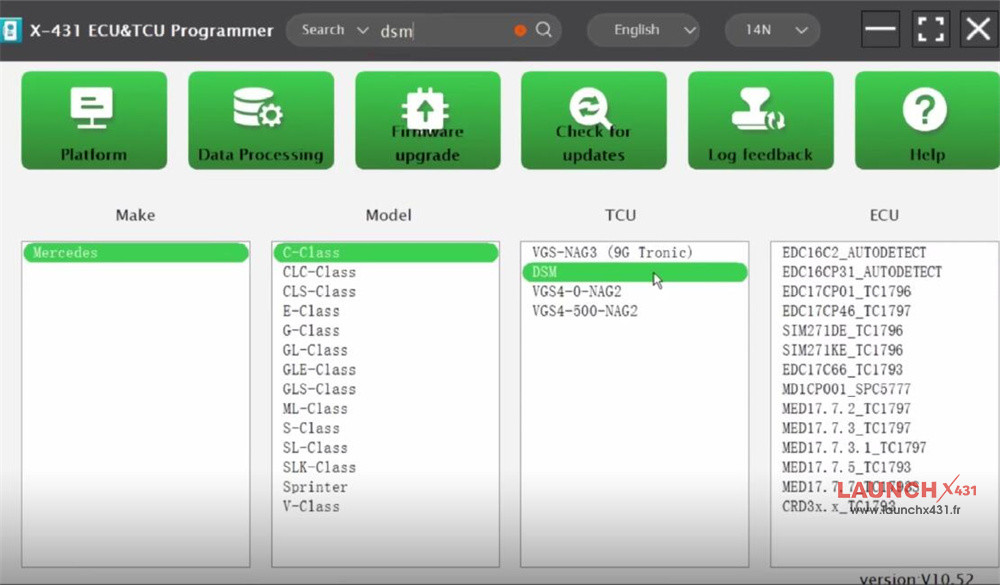
Input “dsm” in the search box to quickly find the corresponding model (e.g. Mercedes C-Class DSM)

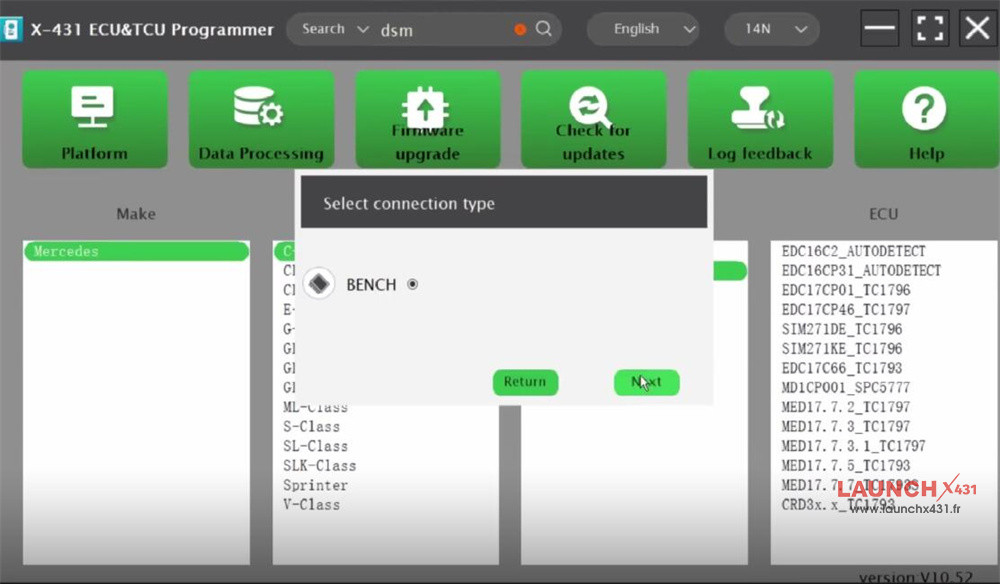
Select “BENCH” connection type

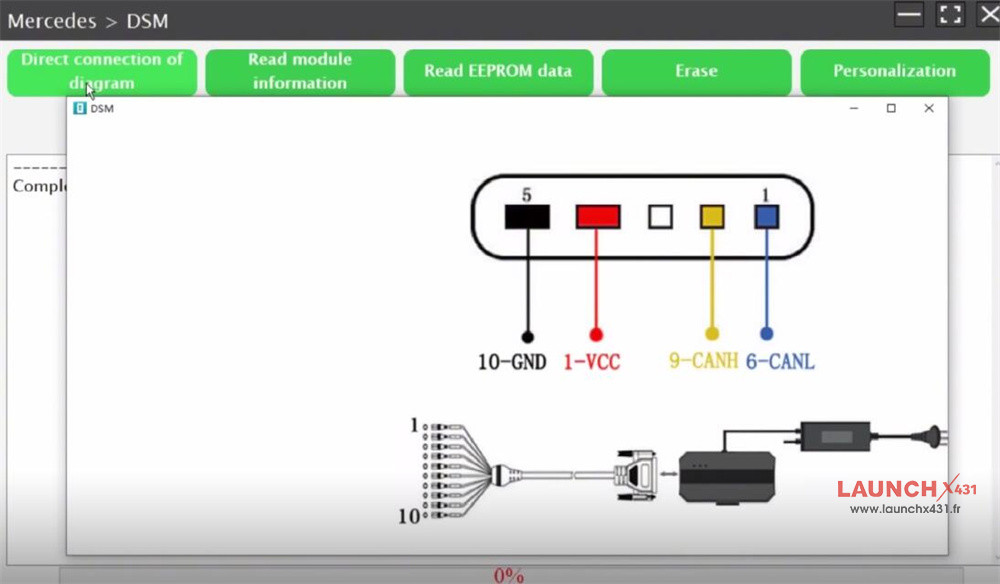
Check the direct connection of diagram to connect X-431 ECU Programmer and original Mercedes-Benz DSM correctly
- 5 Black= 10-GND
- Red= 1-VCC
- Yellow= 9-CANH
- Blue= 6-CANL
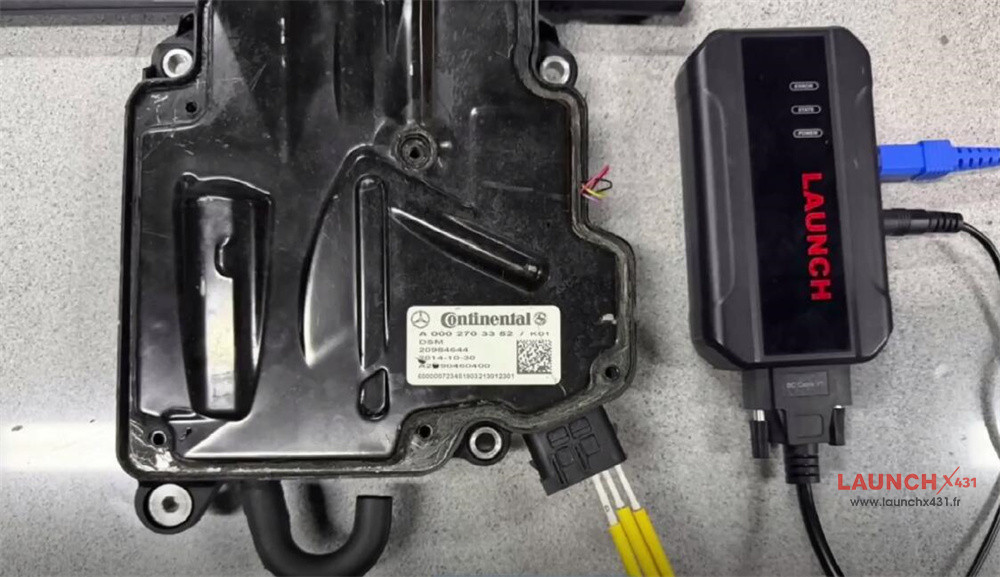

Remember to connect the power supply to X431 ECU Programmer as well
Read module info and EEPROM data of the original Benz DSM separately
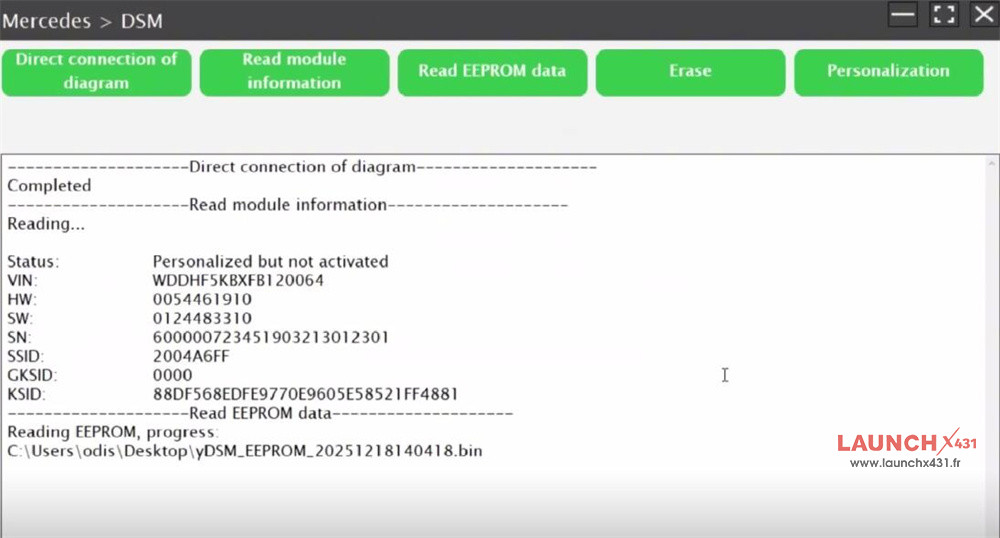

After that, disconnect original Benz DSM, and connect the new one to ECU Programmer properly
Read module info and EEPROM data of the new DSM
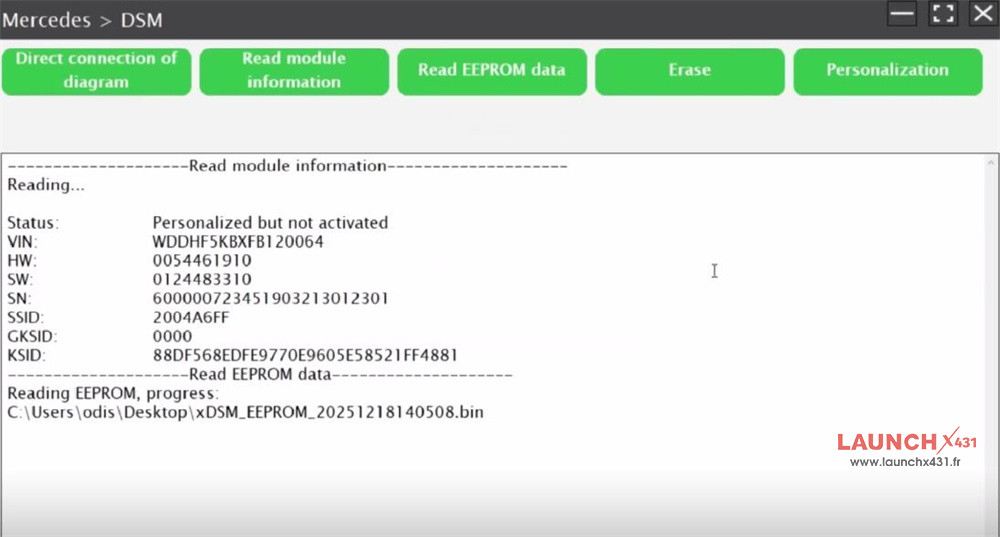

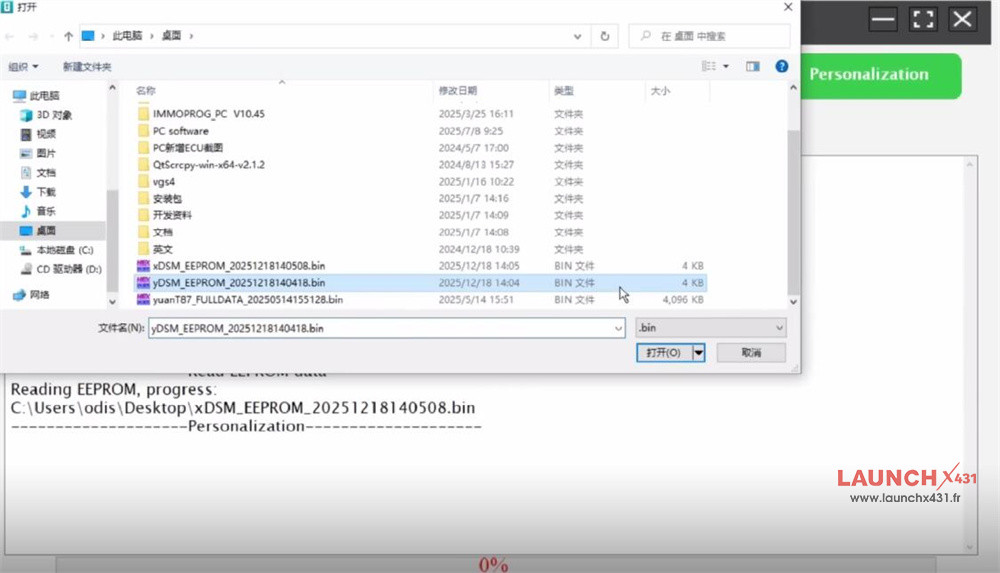
Then click “Personalization” and select the EEPROM data of original Benz DSM to write into the new DSM.

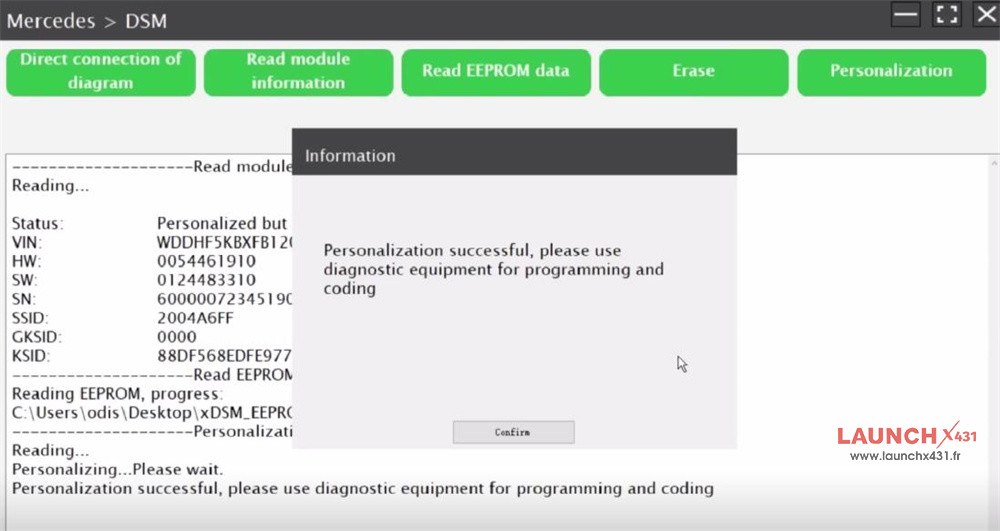
The personalization is successful, the new ECU needs to be programmed and set by diagnostic tool.

Video guide:
