Problem
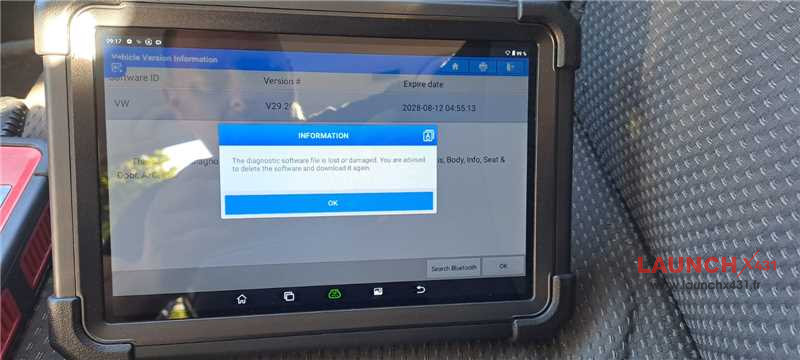
I installed an update for Volkswagen vehicles on my launch X431 tool. After the update, the tool could no longer connect to the vehicle or perform diagnostics.
The system showed a message indicating that the downloaded file was corrupted. I downloaded the update again, but the same error appeared.

Solution
In this situation, please restore X431 tablet to factory settings.
Setting-> System-> Advanced-> Erase all data (factory reset)>> Erase all data
After the factory reset, you can download and install X431 APP and update diagnostic software with [Software Update] function.
Tech support:
1. Email: sales@launchx431.fr
2. WhatsApp: 187 5090 6257