







Learn how to clone an Audi Simos18.1 ECU using Launch X431 XPROG5 (PROG5/G5) in BOOT mode. This guide covers wiring requirements, reading EEPROM and FLASH data from both ECUs, generating clone data, and writing the final files for testing.
Supported Tools and Software Setup
- X431 X-PROG5/ X431 ECU & TCU Programmer/X431 XPROG3 with PC Adapter.
- Update your X431 PC ECU software to V10.70 or higher before starting.
Step 1: Read Data from the Original ECU
1. Connect your programming tool to the PC, keep a steady internet connection, and open the software.
2. Type simos18.1 in the top search bar, choose the matching vehicle brand and model, and double-click the SIMOS 18.1 transmission specification to open the next screen.
3. Choose BOOT as the connection type and select NEXT.
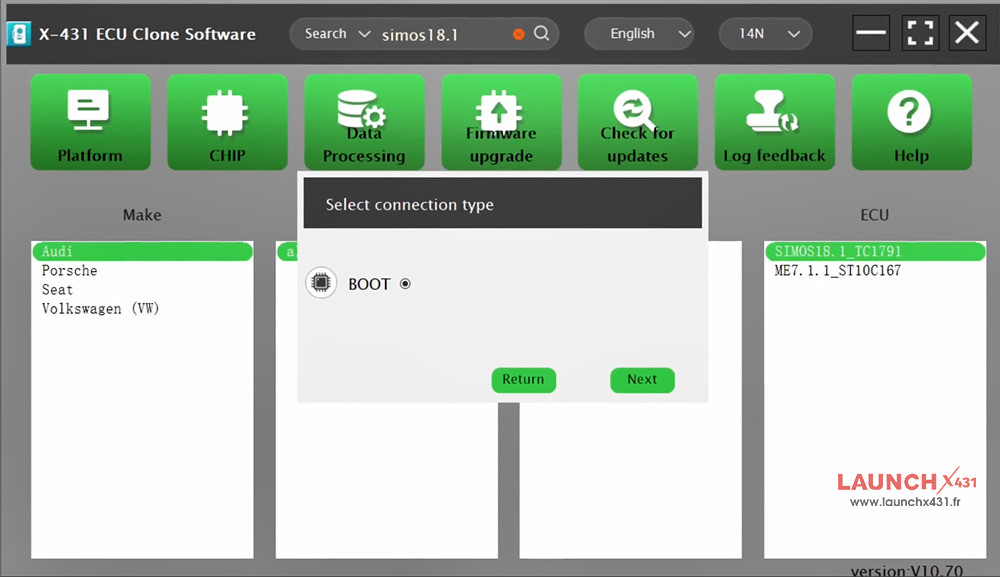
4. Open the direct connection diagram and wire the original ECU following both the Bench Wiring Diagram and the Boot Wiring Diagram at the same time. The ECU will not communicate if either wiring setup is missing.
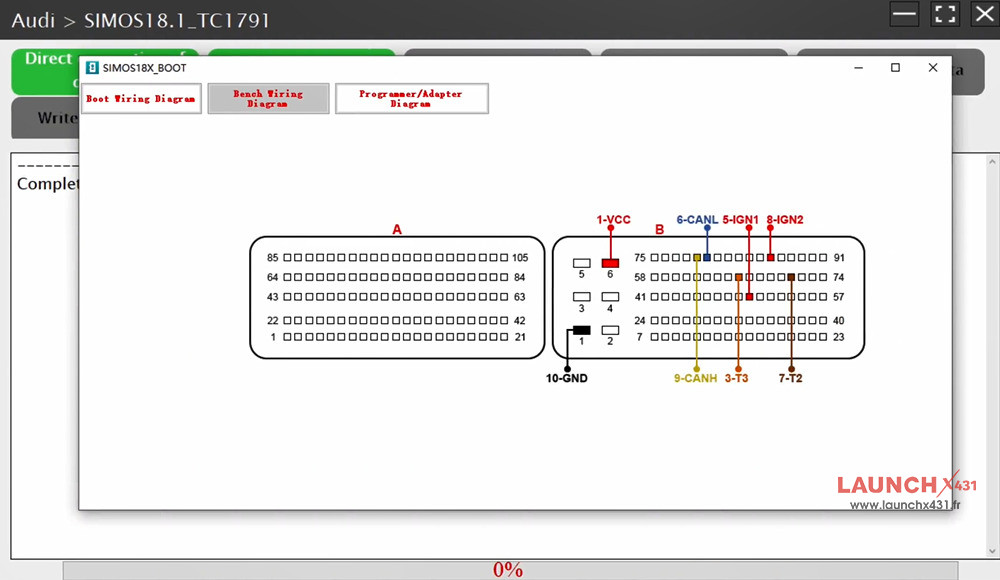
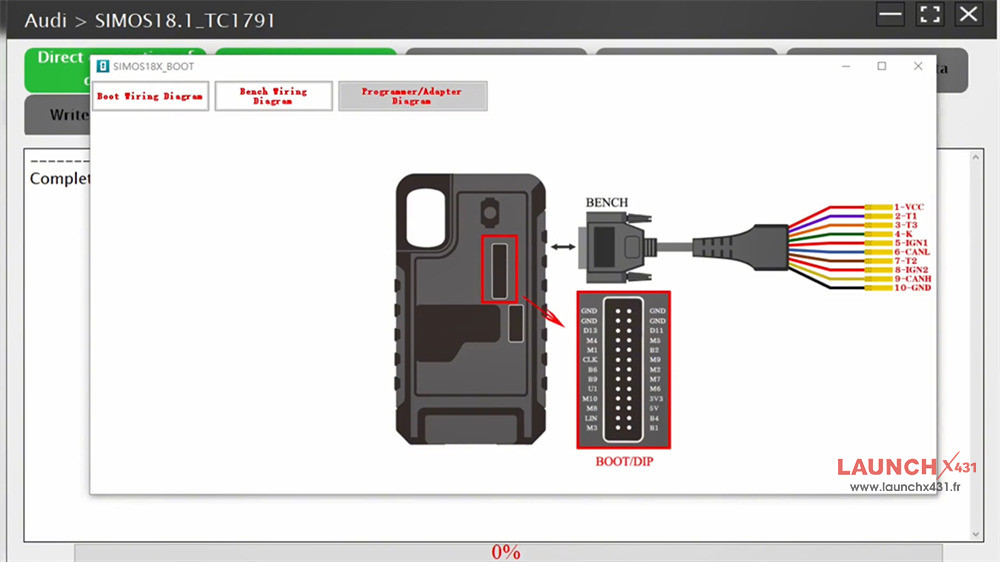
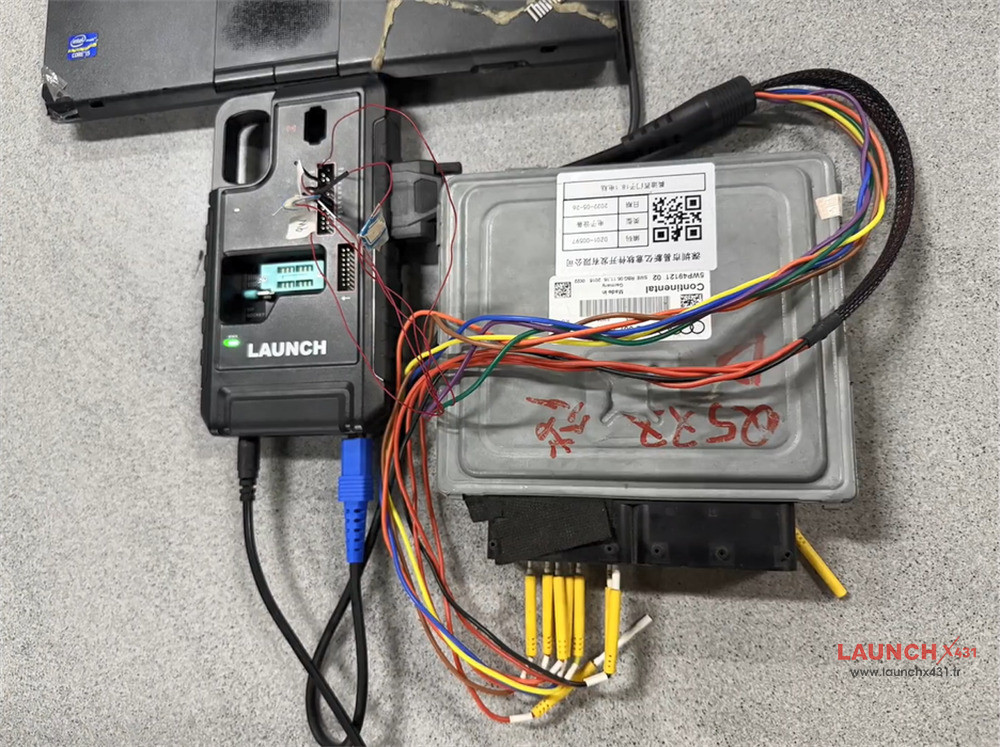
5. Keep the network connected and select Connect so the tool reads the ID information automatically.
6. Read the EEPROM data and save the file, then select Read FLASH Data and save the FLASH backup file.
7. Select Disconnect once both files are saved.
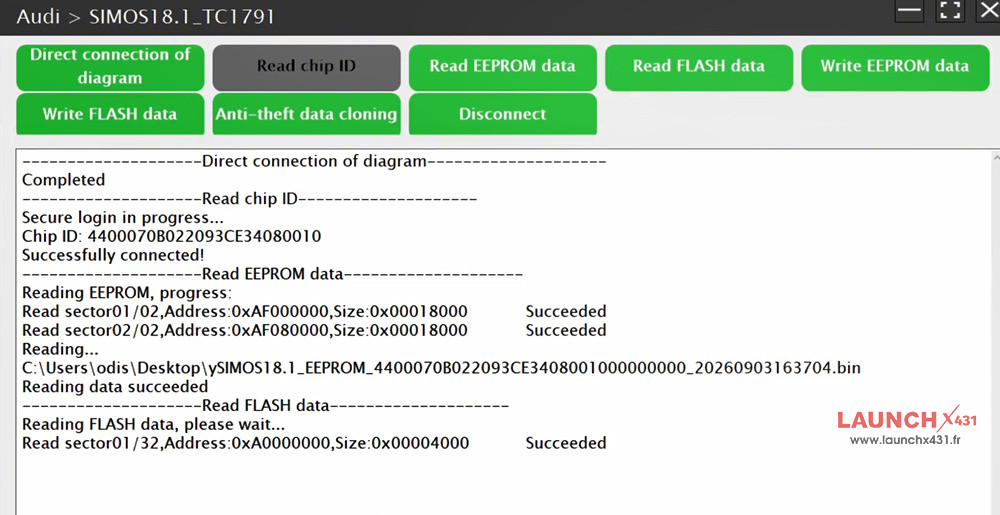
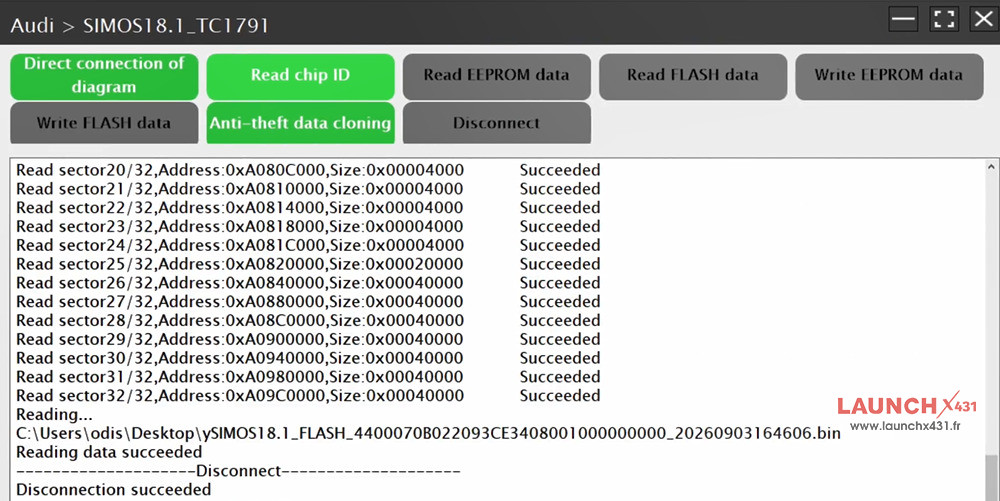
Step 2: Read Data from the Replacement ECU
1. Connect the replacement (“external”) ECU to the tool and select Read chip ID to enter.
2. Select Read EEPROM Data and save the replacement ECU’s EEPROM file, then select Read FLASH Data and save its FLASH file.
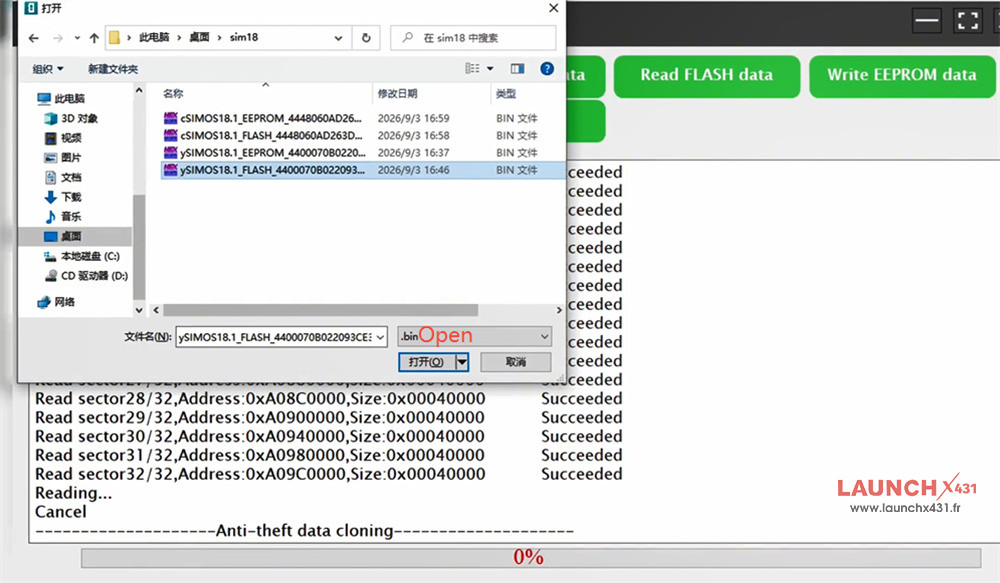
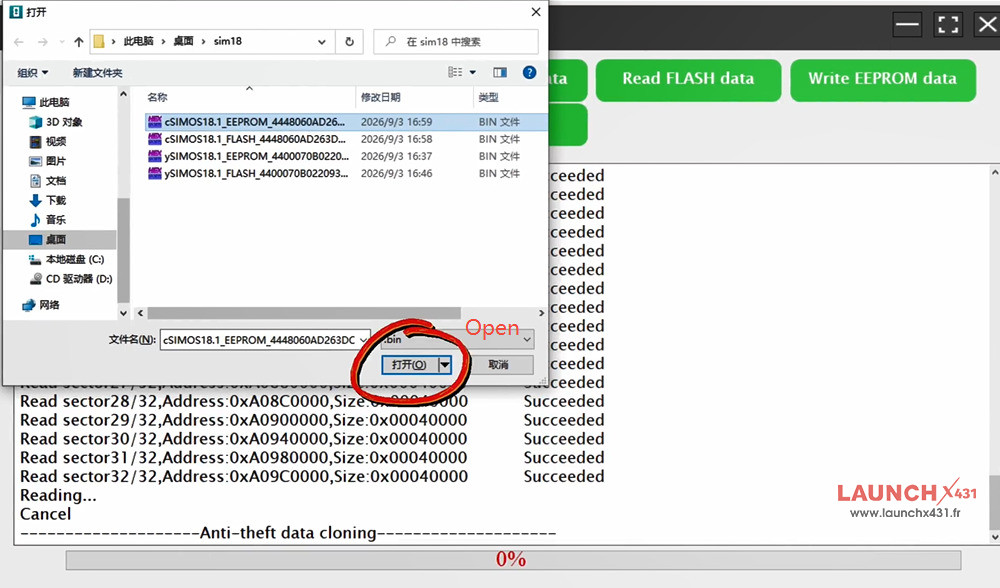
Step 3: Build and Write the Clone Data
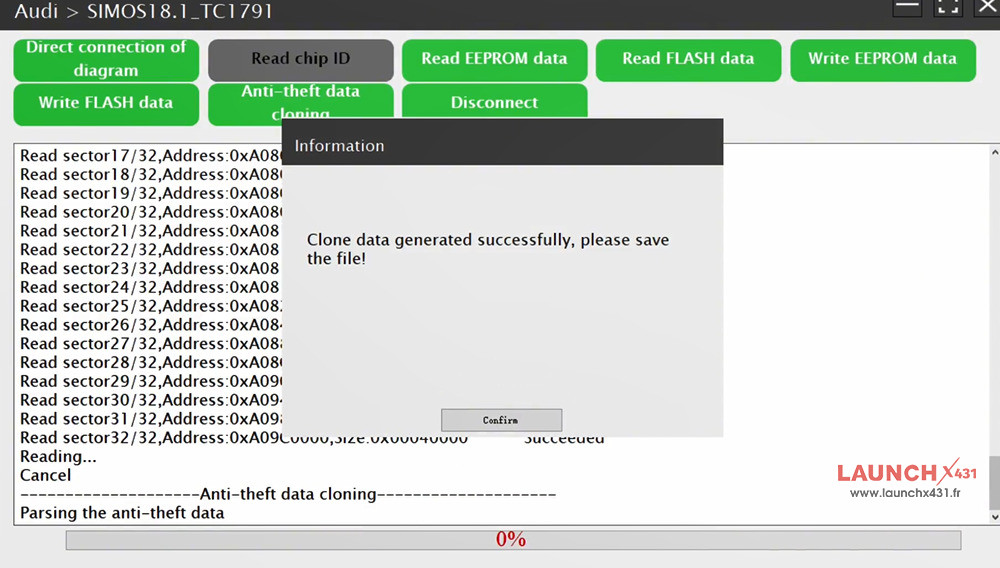
1. Open the option to generate clone data and choose Anti left data cloning (anti-theft data cloning).
2. Load the original vehicle’s FLASH file first, followed by the original vehicle’s EEPROM file.
3. Load the replacement ECU’s FLASH file next, followed by the replacement ECU’s EEPROM file.
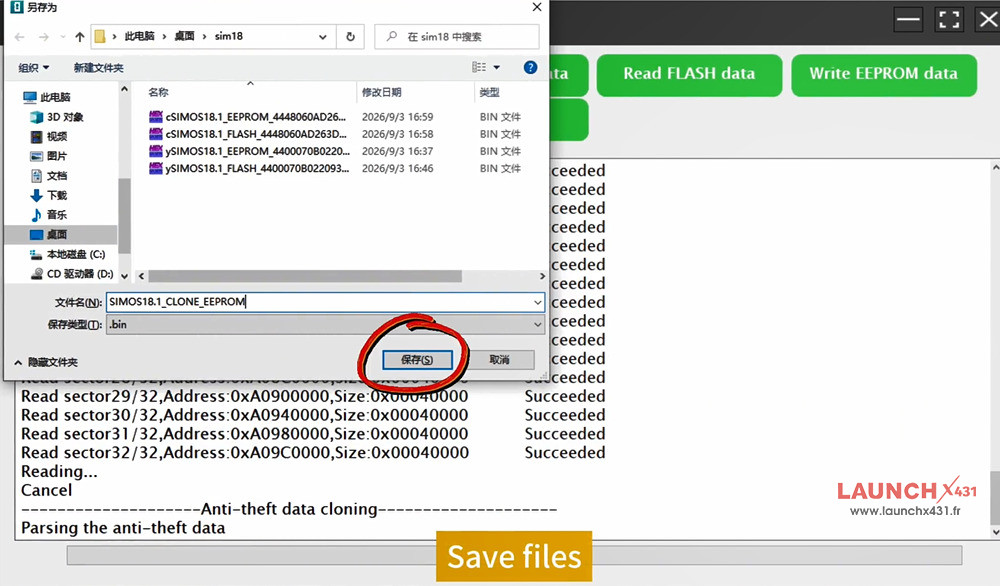
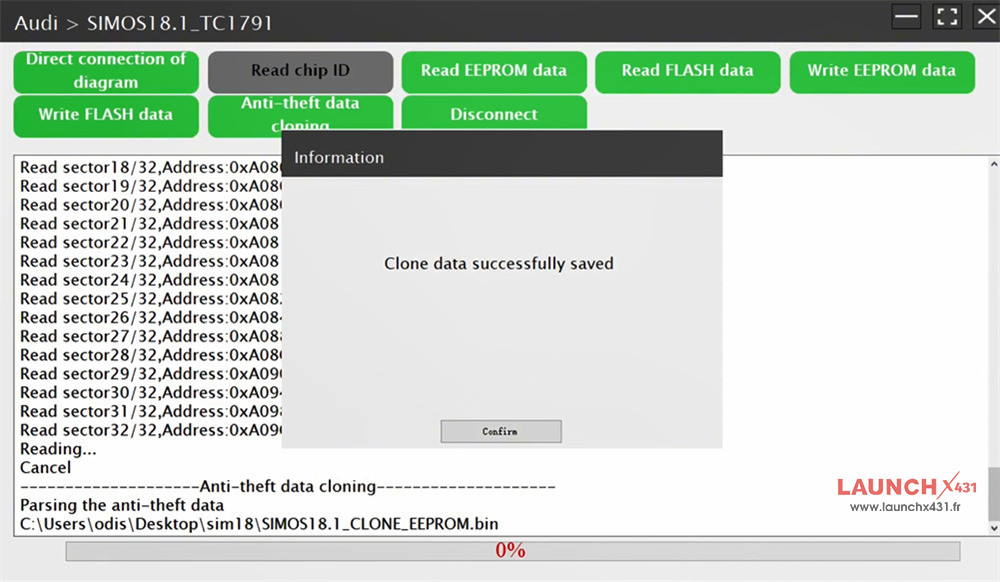
4. Save the generated clone data file when prompted, then click to confirm the next step.
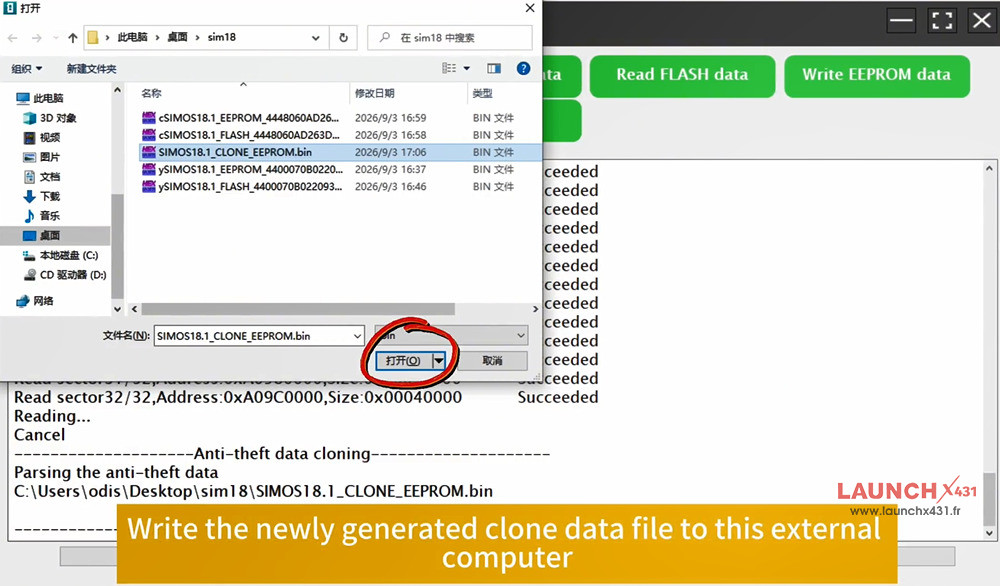
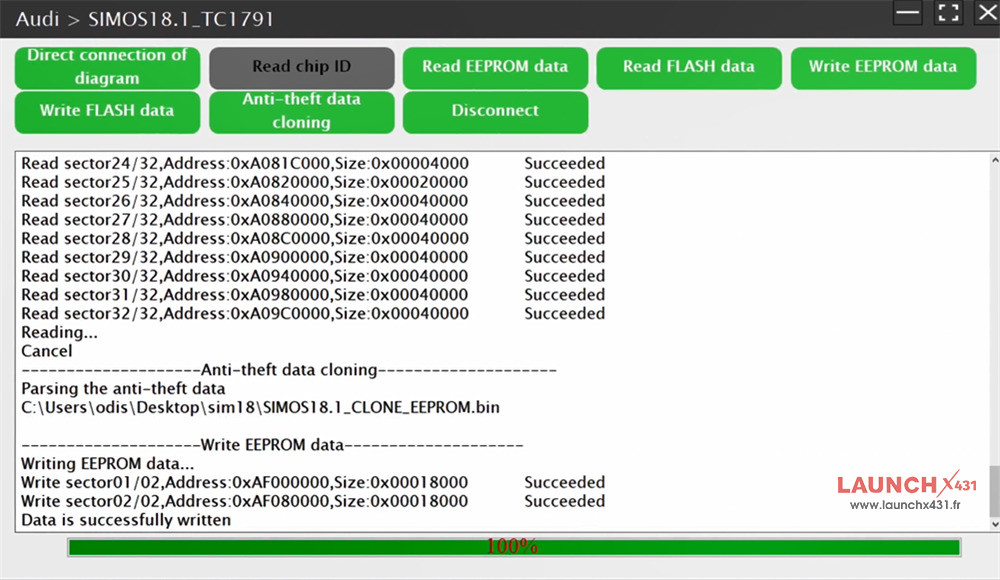
5. Select Write EEPROM data and write the newly generated clone file to the replacement ECU.
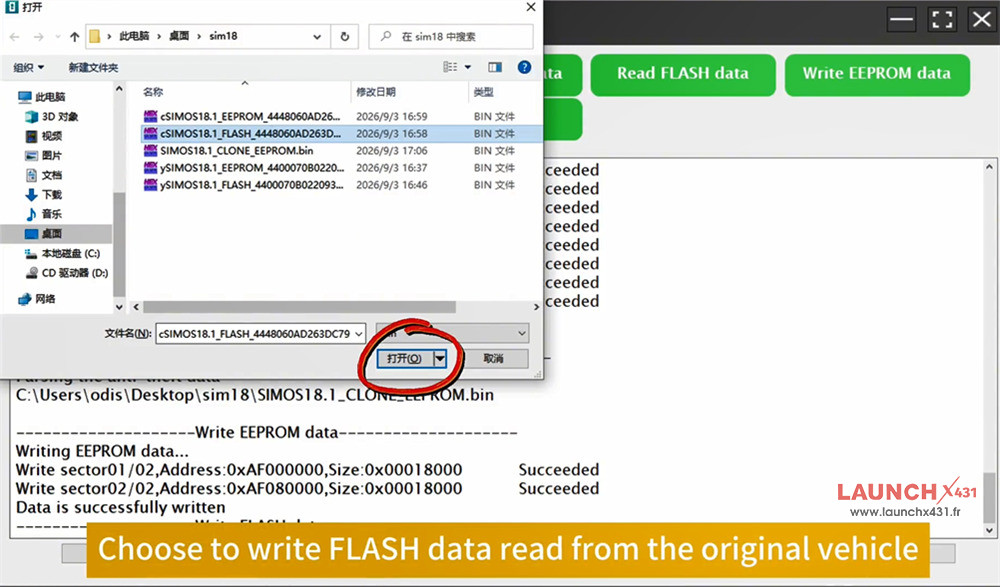
6. Select Write FLASH data and write the original vehicle’s FLASH data to the replacement ECU.
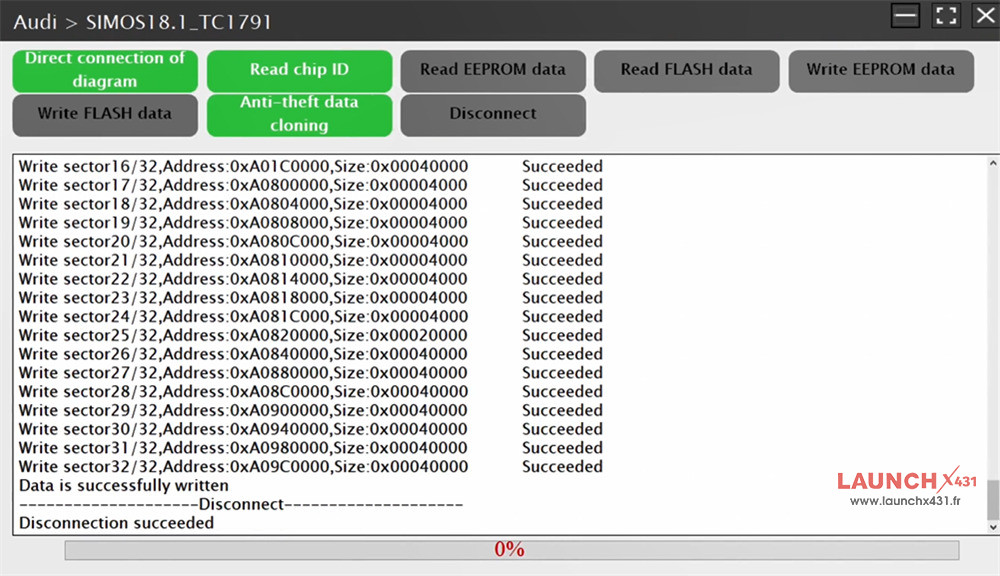
7. After writing finishes, click Disconnect, install the cloned ECU in the car, and test it.
Video guide: