




In the previous post, we introduced the main functions of Launch CR HD V2 Truck Diagnostic Tool.
Today, we’ll move on to a practical guide on how to use it.
Launch CR HD V2 supports three languages (English, French, and Spanish) and free software upgrade for lifetime.
PART ONE
How to Update Launch CR HD V2 Software?
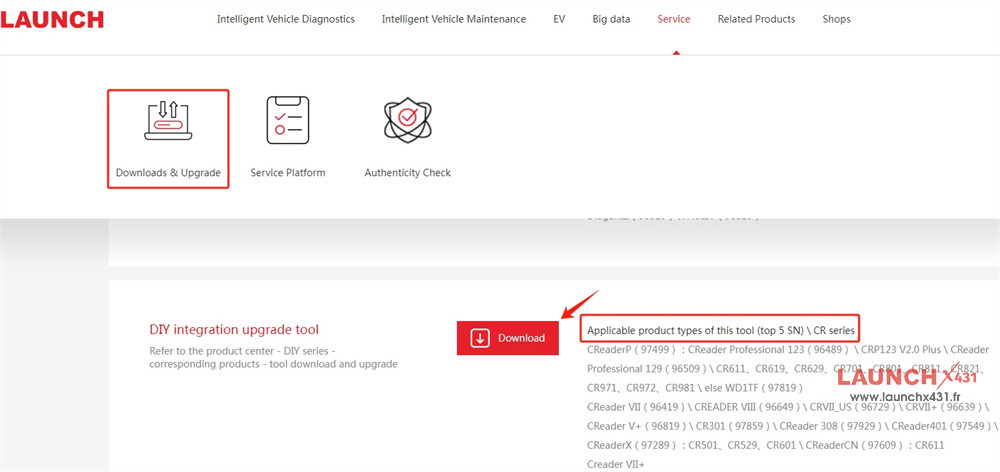
1.Download Launch Update Tool
Visit https://en.cnlaunch.com/download/
Select Service-> Downloads & Upgrade-> DIY integration upgrade tool-> Download
2.Install Launch Update Tool
Just follow the prompt to install easily
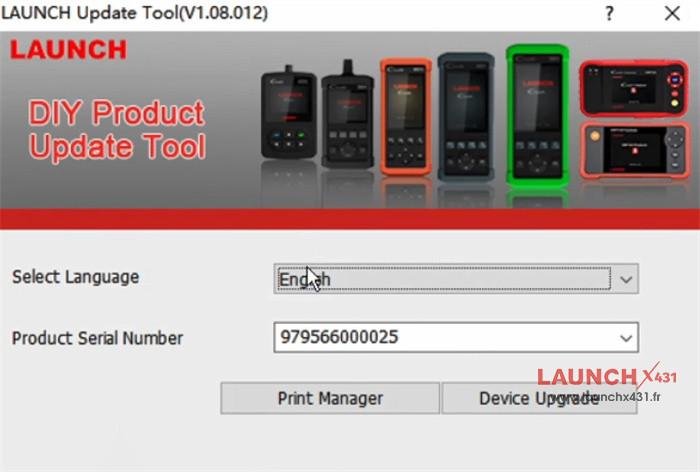
3.Set up Launch Update Tool
- Select language (English is default)
- Input device serial number
- Function selection: Print Manager or Device Upgrade
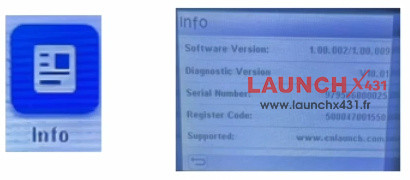
4.Input Register Code
The register code can be found by the device path below:
Main Function-> Info-> Register Code
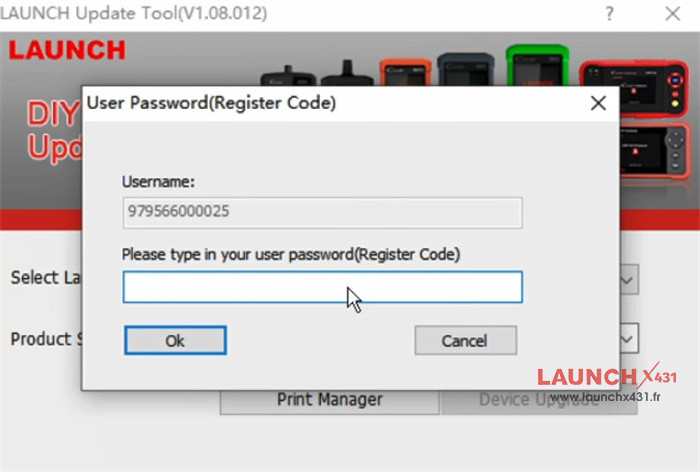
Correctly input the register code in the corresponding user password location of Launch Update Tool
5.Update Software
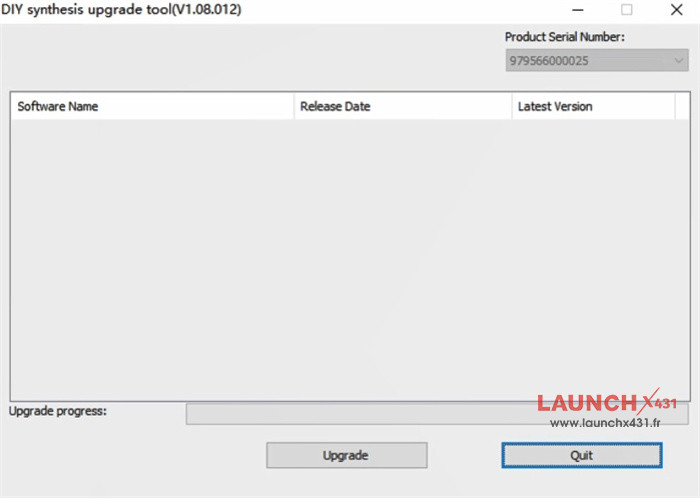
If there is an available software version, the related info will appear on the screen.
Just click “Upgrade” to update the software directly.
If the current software installed is the latest, the software list is empty.
PART TWO
How to Connect Launch CR HD V2 Diagnostic Tool?
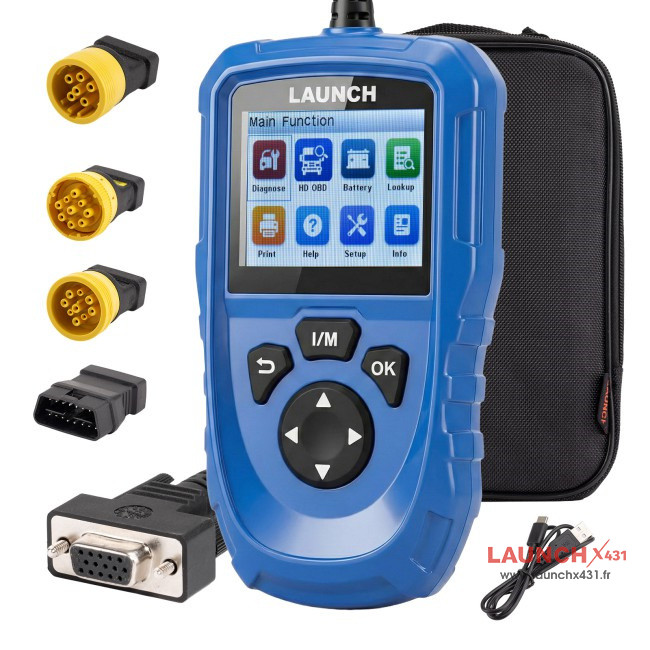
1.CR HD V2 Package
- 1pc x Main unit with diagnostic cables (3-row DB15 female connectors (1.5m cable))
- 1pc x OBD6 connector
- 1pc x OBD9 connector
- 1pc x CT9 connector
- 1pc x adapter connector
- 1pc x USB power cable
- 1pc x Quick Start Guide
- 1pc x Cloth bag
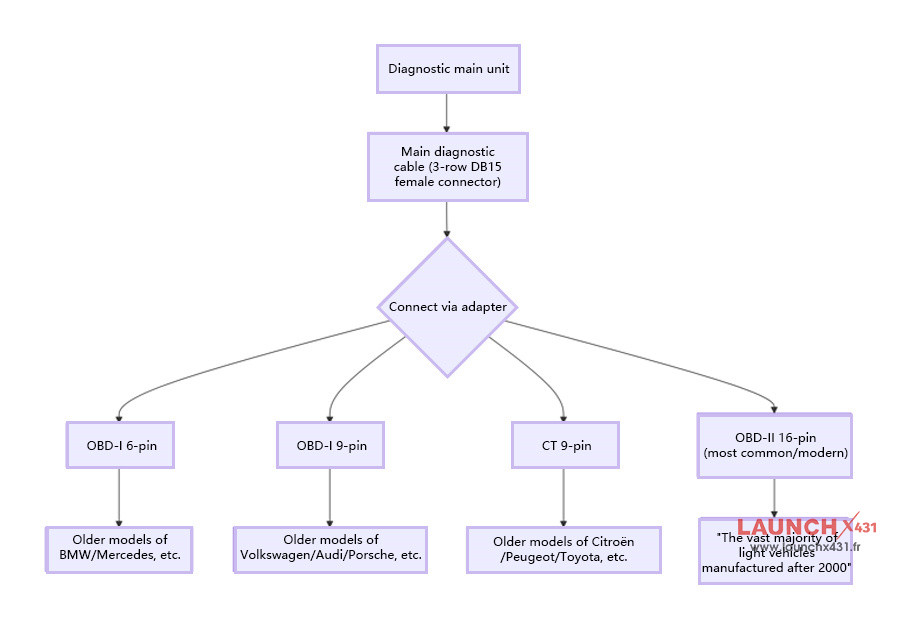
2.Vehicle Diagnostic Interface Working Diagram
3.Connection Procedure
1).Switch off the ignition and ensure the vehicle is secure.
2).Find the DLC (Data Link Connector)—typically situated beneath the steering column or on the driver-side dashboard.
3).Choose and attach the correct adapter based on the vehicle’s DLC type.
4).Link the diagnostic cable to the vehicle’s DLC using the adapter.
5).Turn the ignition on (the engine may remain off or be running) and launch the diagnostic system.
PART THREE
How to Diagnose Vehicle by Launch CR HD V2?
1).Establish Connection: Once the diagnostic tool is connected to the DLC, turn on the ignition to automatically power up the device.
2).Access Main Screen: After successful vehicle recognition, the system will display the primary function menu.
3).Choose Operation: Depending on your needs, select functions such as reading fault codes, logging data, playback, or accessing additional features.
4).Follow Guidance: Complete the test by carrying out the on-screen instructions—straightforward and user-friendly.