




Launch X431 IMMO Plus supports 25+ menu languages now. If you want to change the language, follow these steps below to operate, then you can change English to Spanish, Portuguese, French, Japanese, German, Polish, Russian, Italian, Korean, Dutch, Swedish, etc.
Step-by-Step Instructions
1.Change the System Language:
- Turn on your IMMO Plus tablet.
- Go to Settings in the desktop menu.
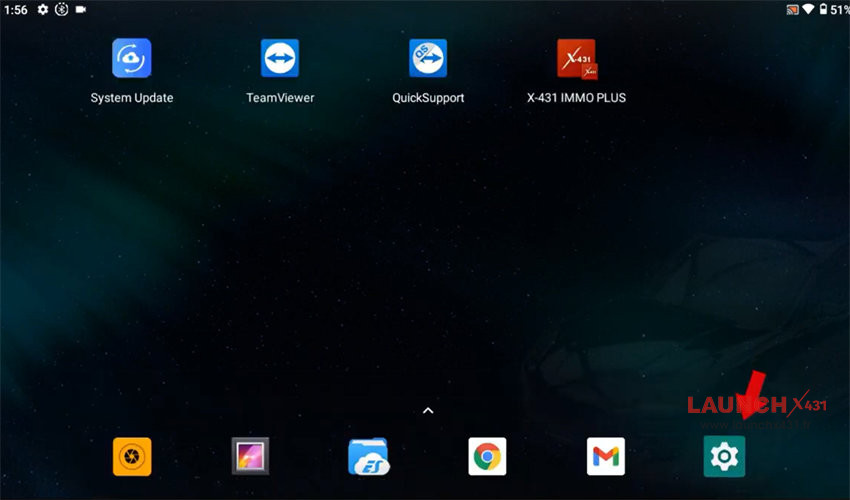
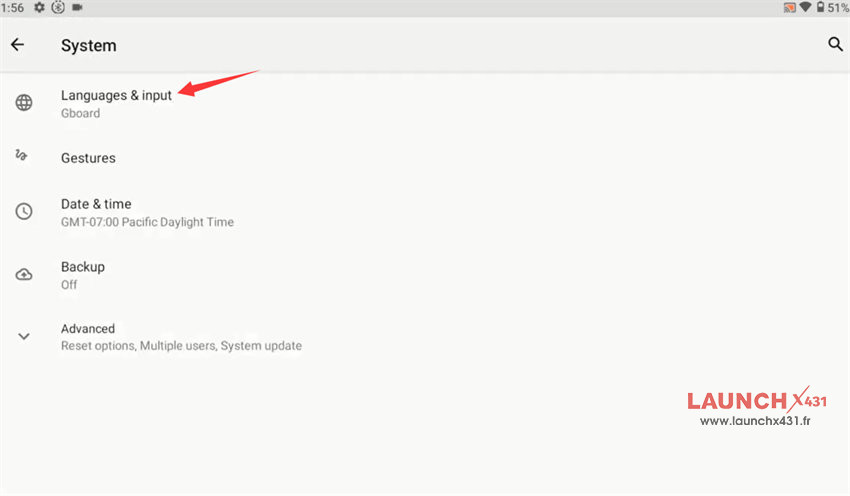
- Scroll down and select System >> Languages & input >> Languages.
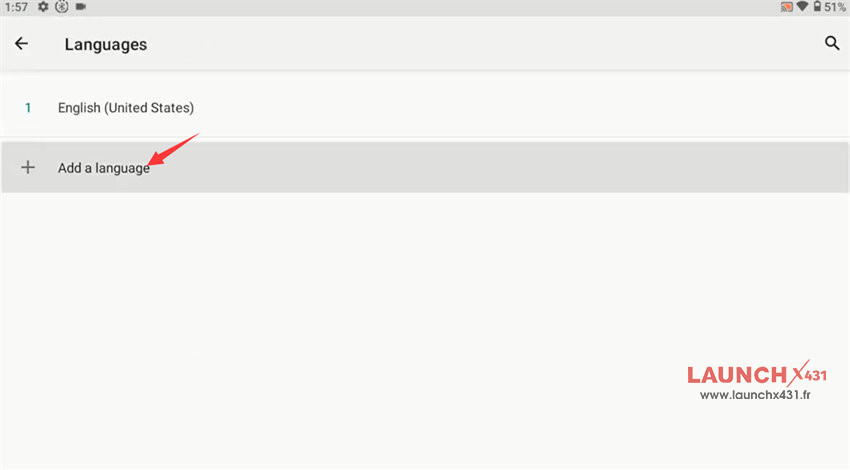
- Tap Add a language and choose your preferred language from the list.
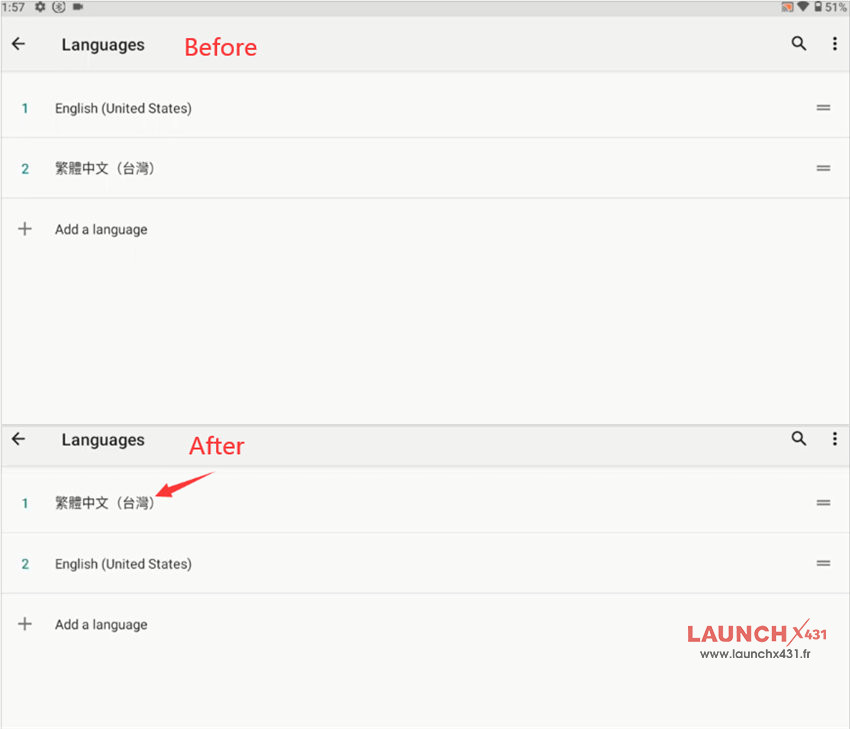
- Press and hold the newly added language, then drag it to the top position of the list to make it the default.
- Return to the main Settings interface.
2.Connect to Wi-Fi:
- Locate the Wi-Fi option in the settings menu and connect to an available network.
3.Update Software:
- Open X431 IMMO Plus software on the desktop menu.
- Select Software Update to refresh both the IMMO software and car software packages to match your new language settings.