






This guide provides step-by-step instructions for purchasing and activating the ECU Flashing function on Launch X431 PRO3 LINK HD (X431 V+ SmartLink HD). By following the steps outlined below, you can swiftly activate the service and begin performing comprehensive ECU programming tasks.
Menu path:
Select Mall- Software Store- Commercial Vehicle- ECU Flash
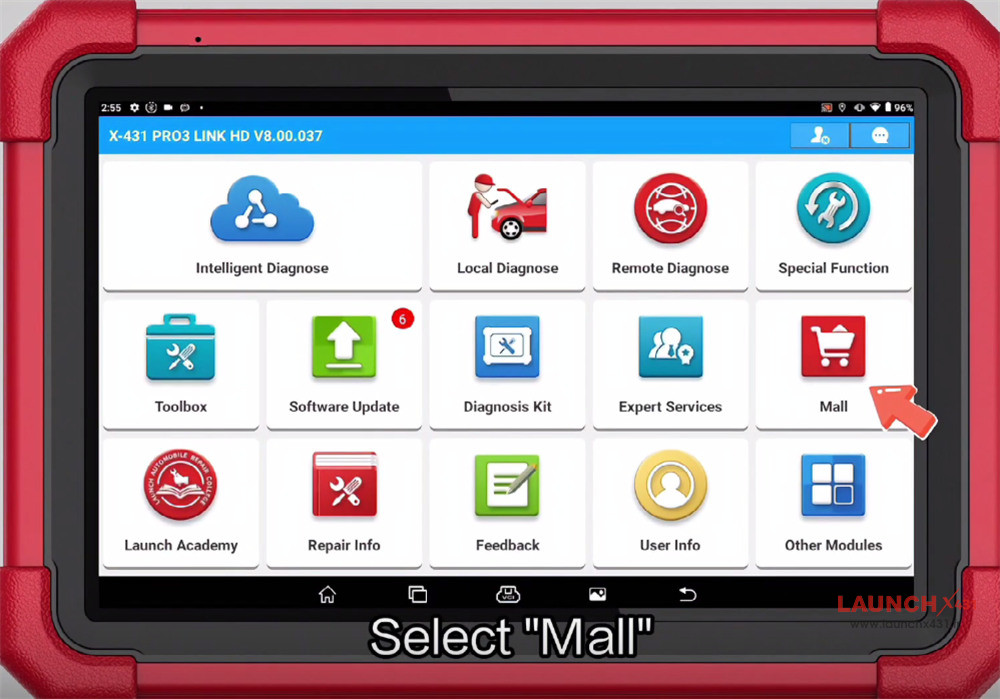
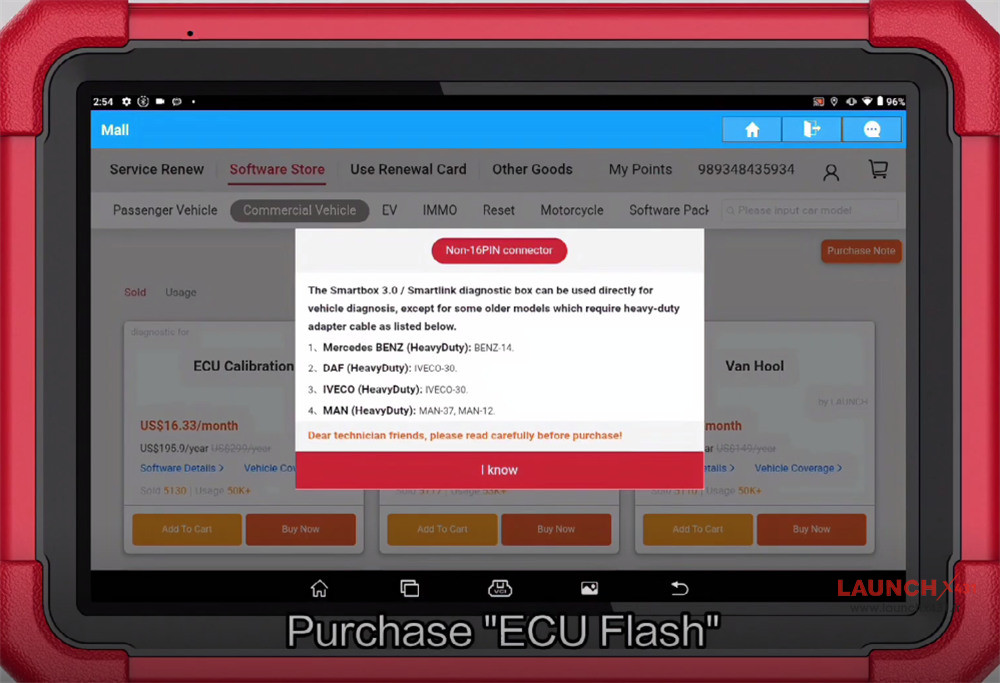
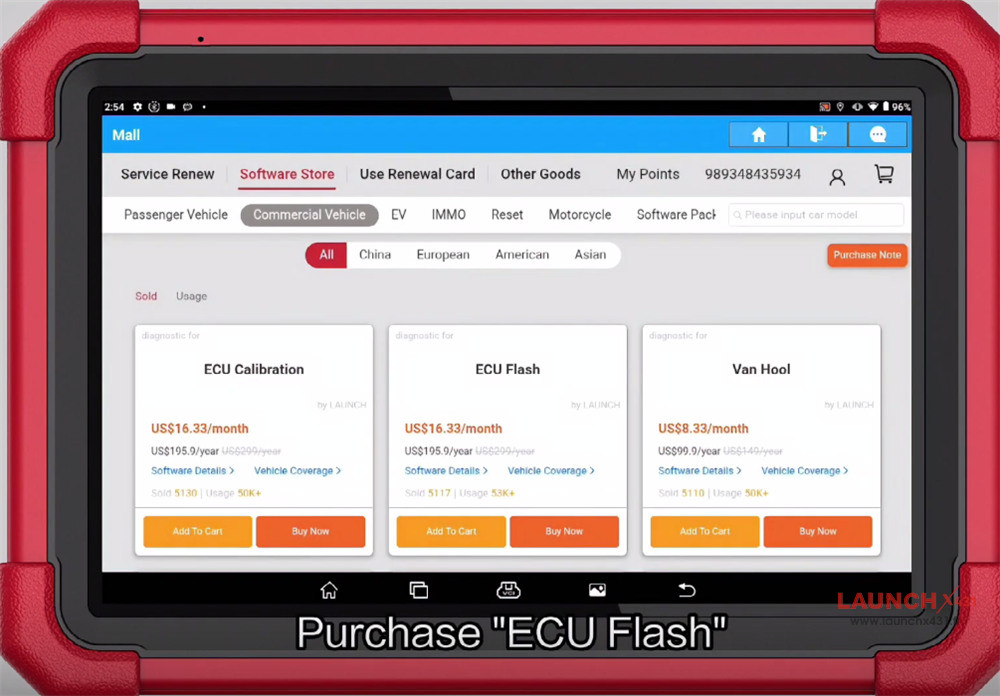
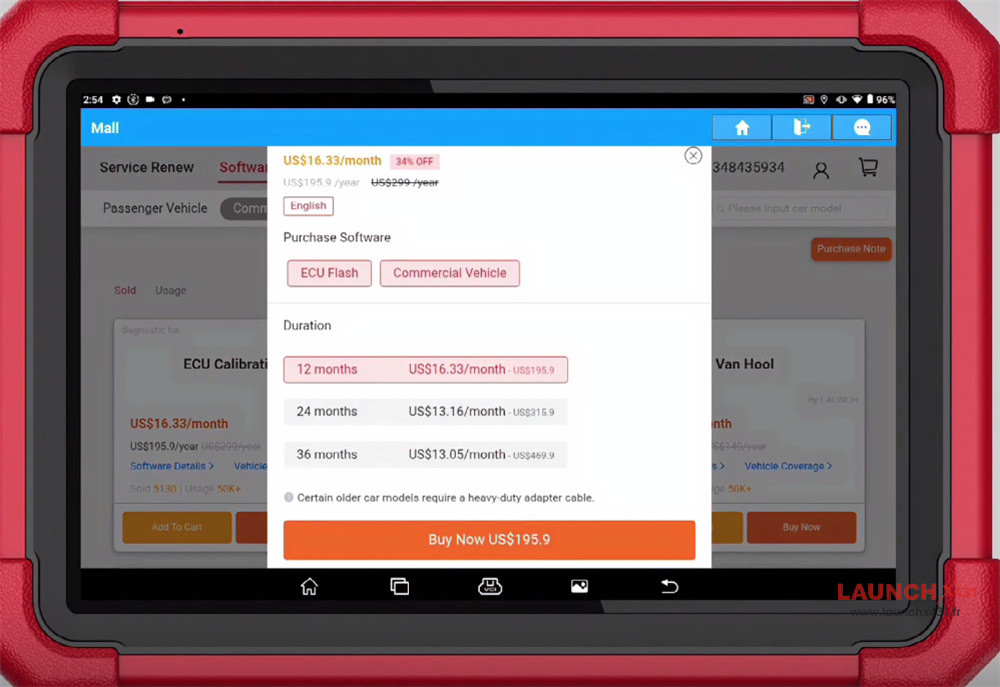
Three options are available:
12 months/24 months/ 36 months
Purchase the software you desire and confirm the order
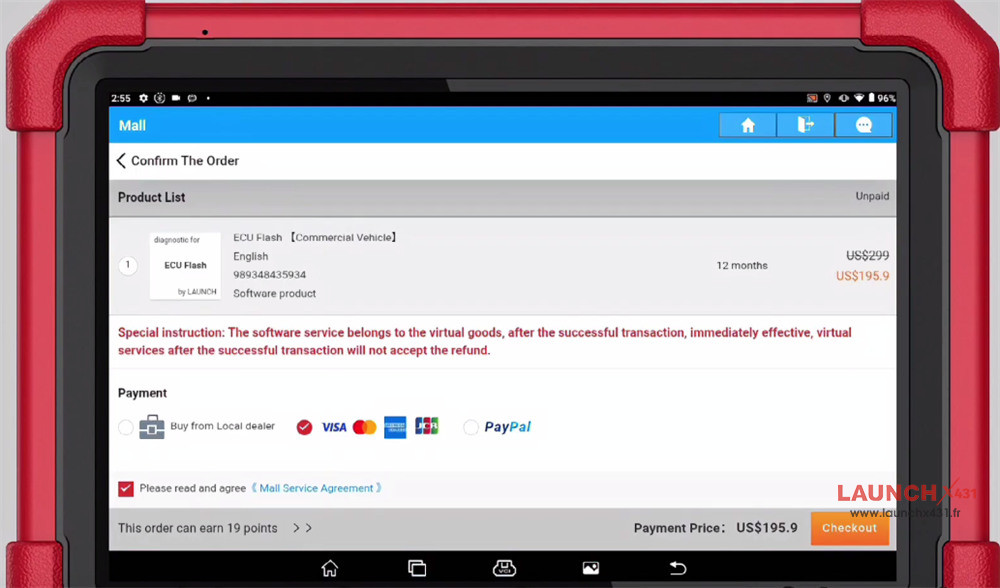
Download the software after successful purchase
Exit X431 APP
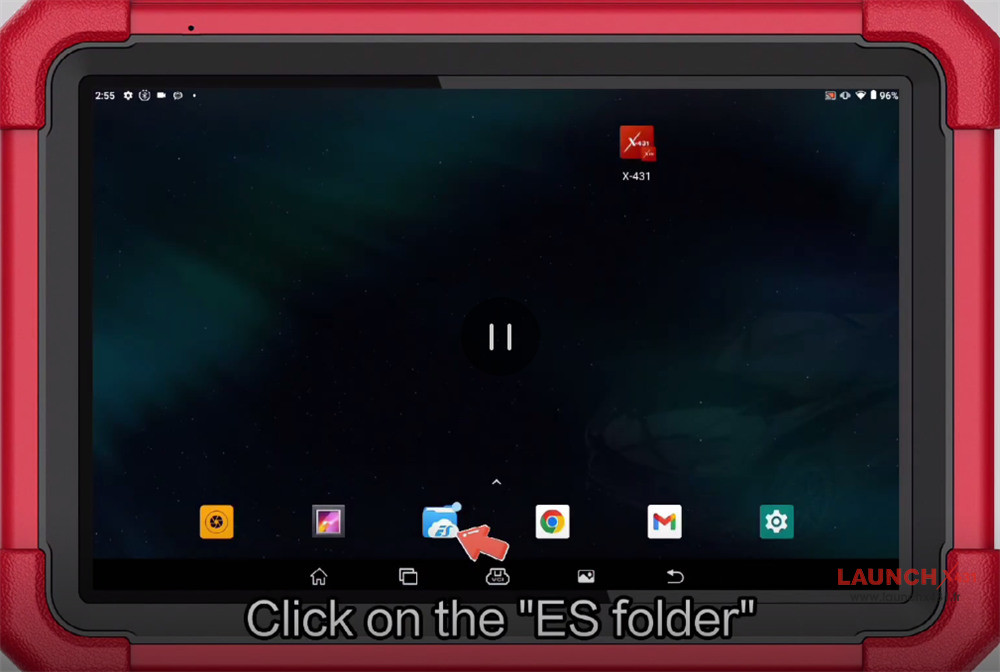
Click on “ES folder”
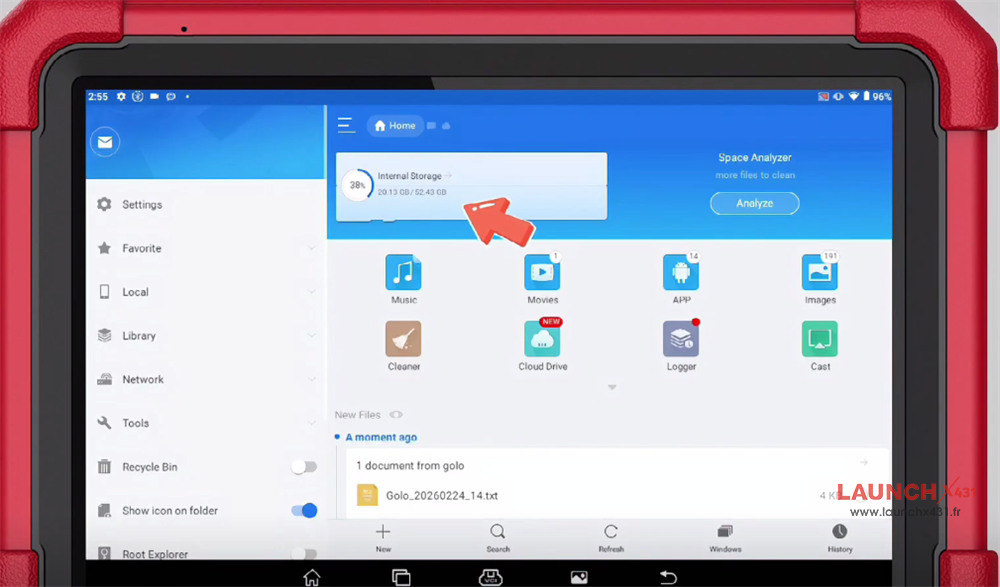
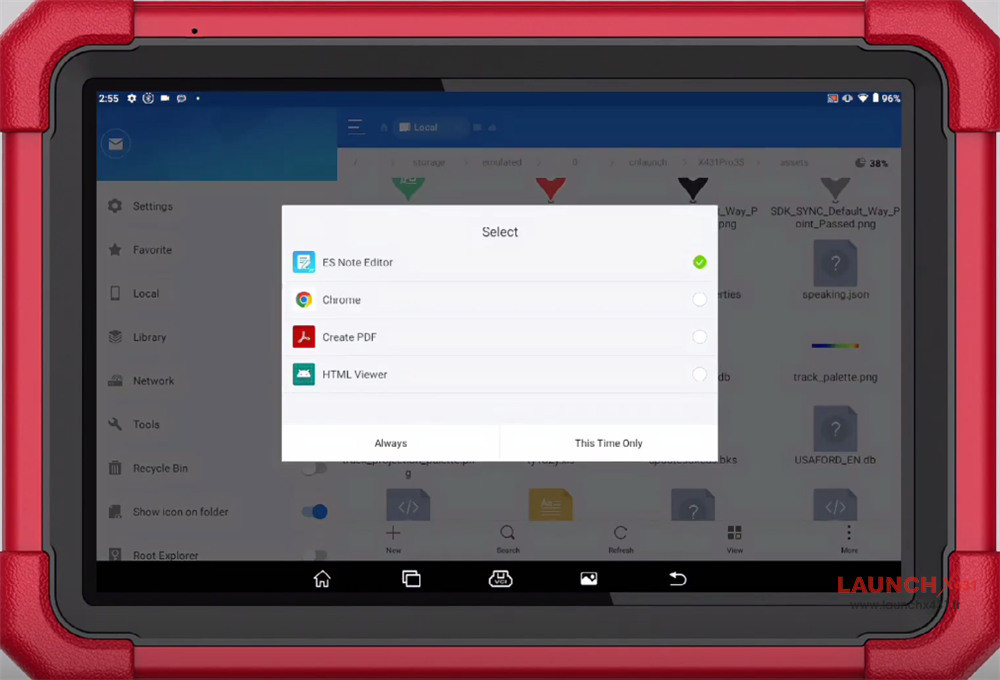
Select the path “/cnlaunch/X431Pro3S/assets/StdCfg.ini
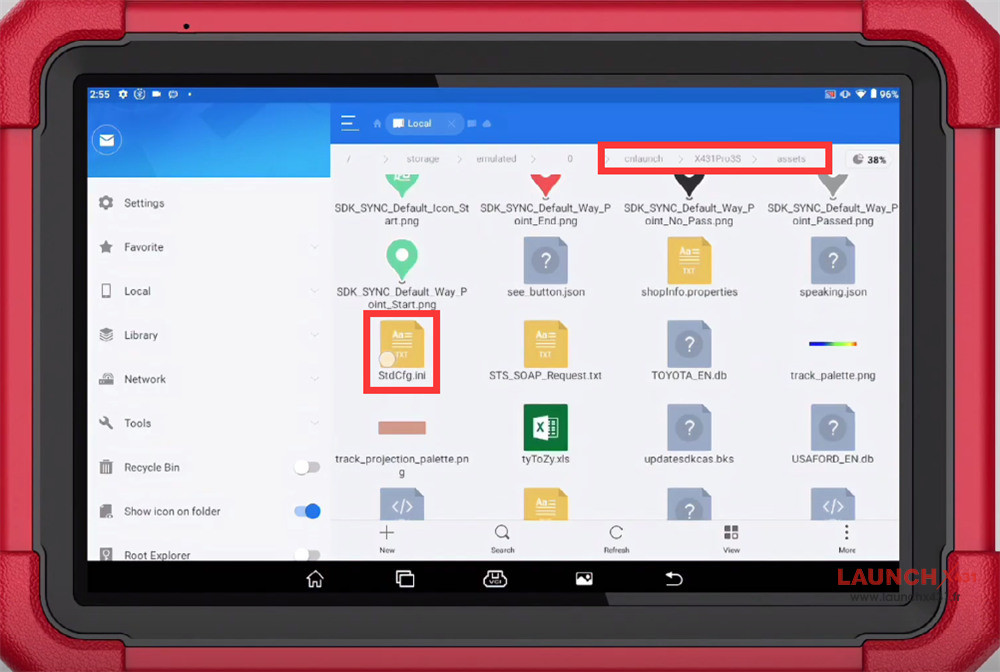
Select “ES Note Editor” and click “This Time Only” or “Always”
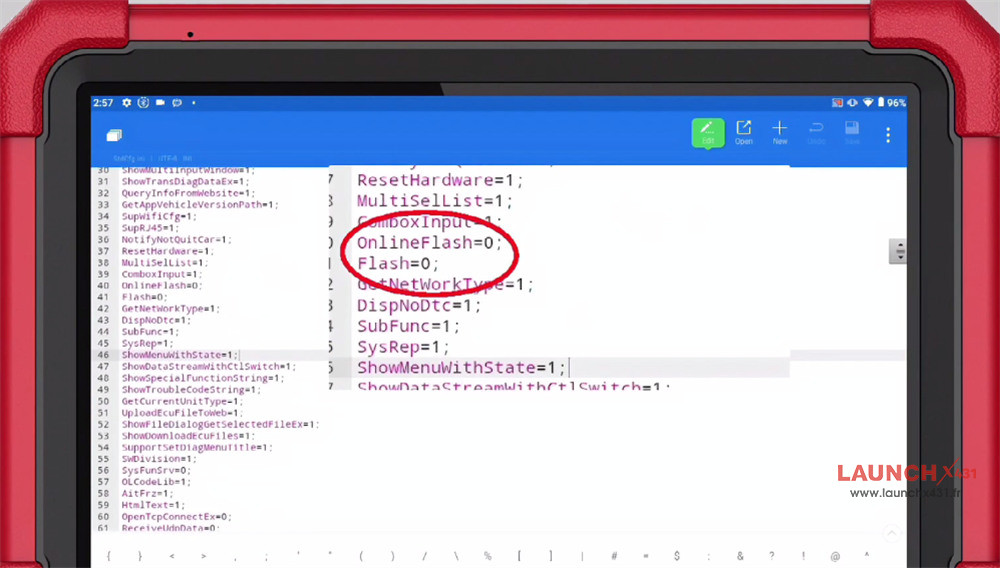
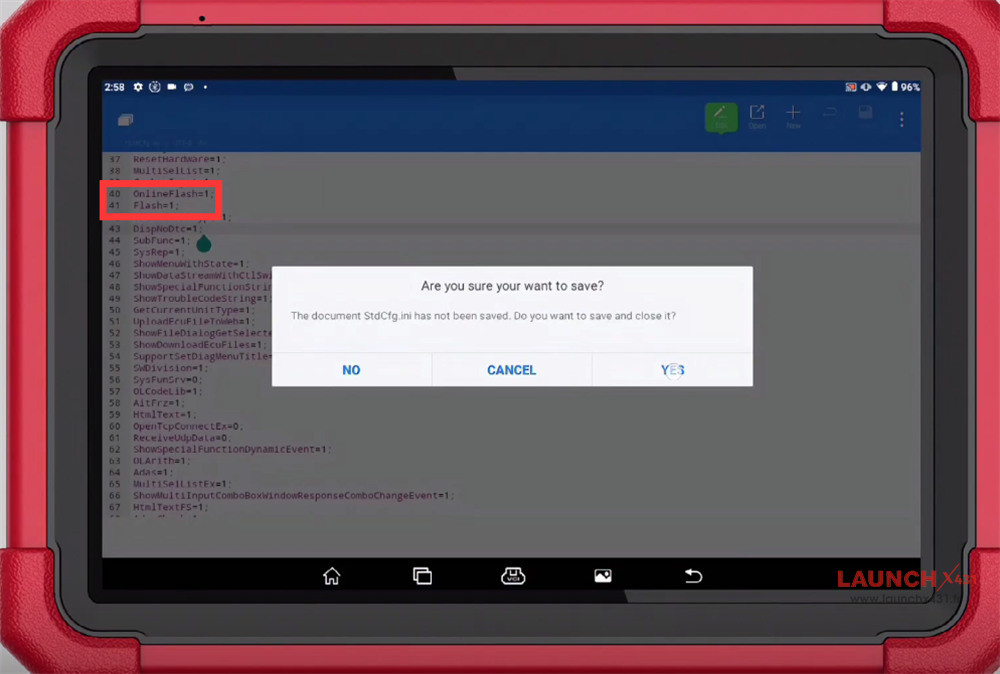
Modified parameters: OnlineFlash=0 changed to 1, Flash=0 changed to 1
Save the document after modification
Enter X431 APP
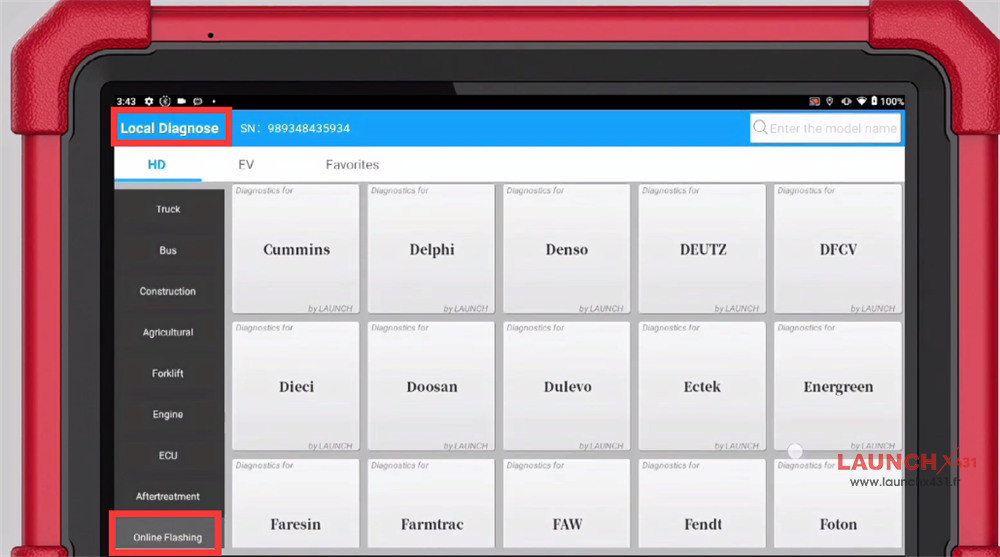
Select “Local Diagnose”
Select “Online Flashing”
Currently, it is compatible with 90 software programs, and more will be added later.
Done!
Video guide:
Read also: