



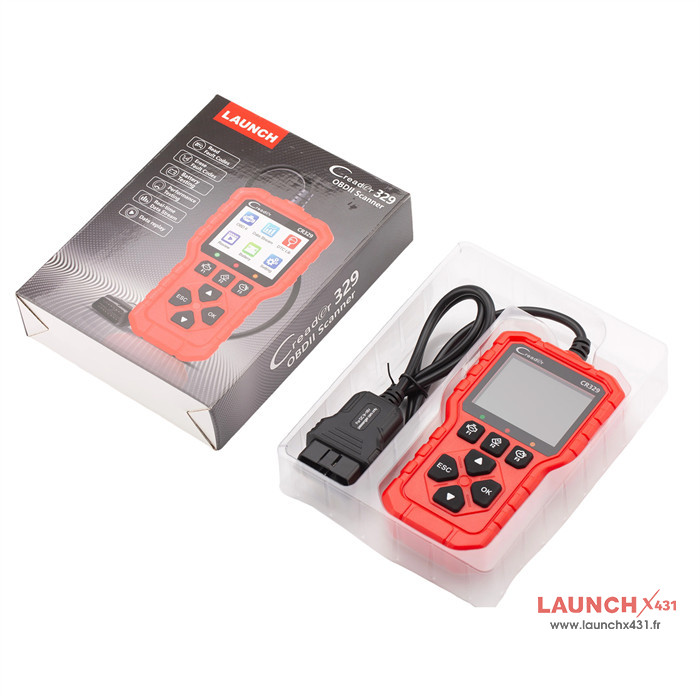
What is LAUNCH CR329 Scan Tool?
LAUNCH Creader CR329 is a compact code reader built on a single-chip microcomputer platform, delivering full OBD diagnostics designed for the DIY car enthusiast.
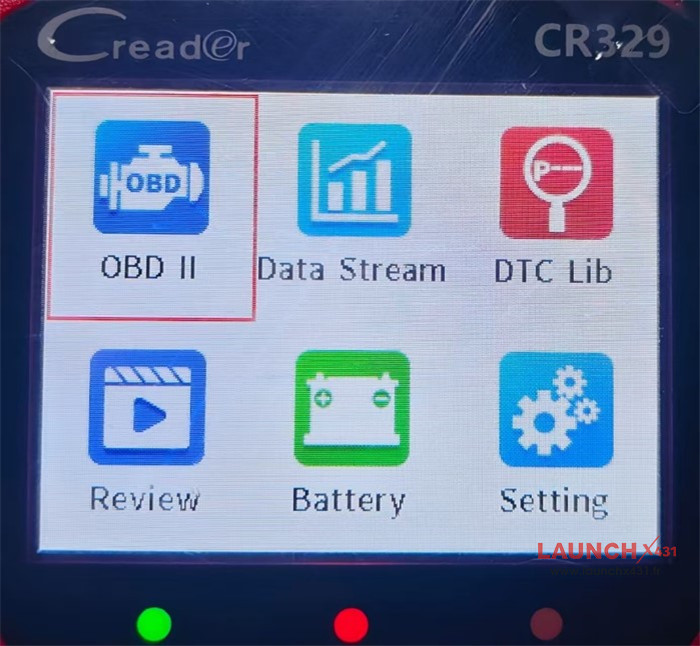
Function Display:
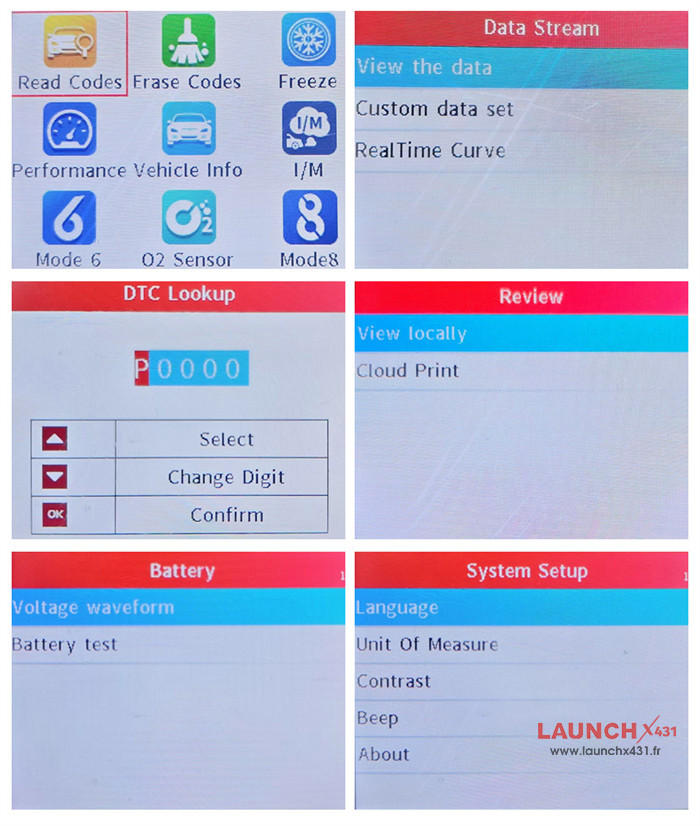
l Main Interface:
l OBD II (Vehicle diagnostic system)
l Data Stream
l DTC Lib (DTC Library)
l Review
l Battery (Battery testing)
l Setting
LAUNCH Creader CR329 Detailed functions:
1.OBD II Diagnostic Functions:
Read Codes, Erase Codes, Freeze Frame, Performance Tests, Vehicle Info, I/M Readiness, Mode 6, O2 Sensor Test, Mode 8
2.Data Stream:
Graph View: Display single data stream as a real-time curve
Custom Data Set: Filter and select specific data stream items
Dual Curve: View two data streams simultaneously as curves
3.DTC Library:
One-click precise diagnosis
Built-in trouble code lookup with extensive database
Multi-language support: English, French, Spanish, German
How to use: Enter code → Adjust characters → Press [OK] to search
4.Review & Print:
Local Review: View last diagnostic results and preview before printing
Cloud Print: Generate QR code for wireless printing
5.Battery Test:
Voltage Waveform: Visual graph of voltage changes over time
Battery Check: Evaluate battery performance through voltage measurement
6.System Settings:
l Language: 10 options (English, French, Spanish, German, Italian, Russian, Portuguese, Polish, Dutch, Japanese)
l Unit of Measure: Customizable units for personalized data display
l Contrast: Adjust screen brightness difference for sharper or softer display (adjust via Up/Down buttons)
l Beep: Enable or disable built-in buzzer
l About: View device version information
How to use Launch CR329?
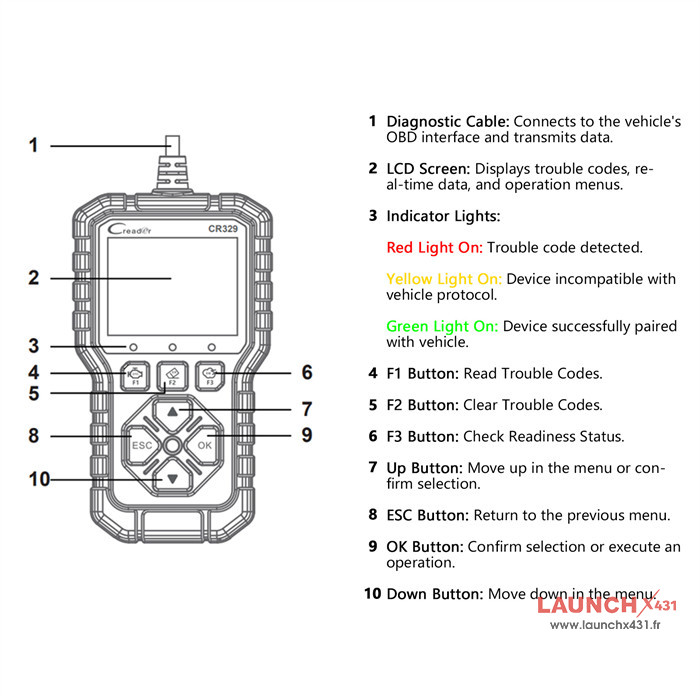
Hardware Display
1.Connection Guide:
l Prepare Vehicle: Ensure the ignition is OFF and the vehicle is in a safe, stationary position.
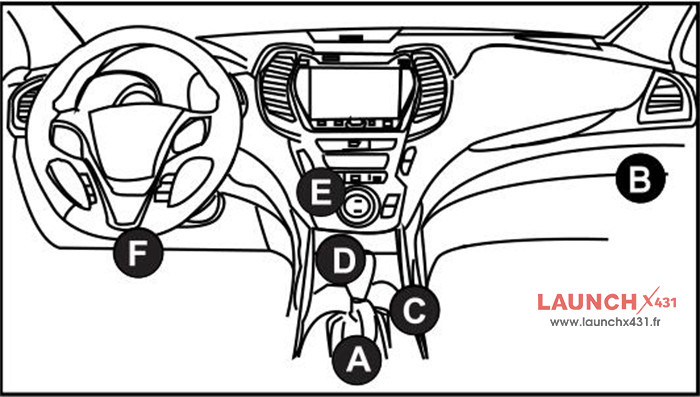
l Identify DLC: Find the Data Link Connector, typically located beneath the steering wheel or on the driver’s side of the dashboard.
l Establish Connection: Firmly connect the diagnostic interface cable to the vehicle’s DLC port.
l Power Up: Switch the ignition to the ON position (engine start not required). The diagnostic platform will launch automatically.
2.Diagnostic Workflow:
l System Initialization: Once connected and powered, the device will automatically initialize and establish communication.
l Navigate Menu: Upon successful vehicle identification, you will be directed to the main function interface.
l Select Service: Choose your desired diagnostic function (e.g., Read Codes, Data Stream, Special Tests).
l Execute Test: Adhere to the intuitive prompts displayed on the screen for a straightforward and efficient diagnosis.