




Reset the throttle position on a 2017 Mercedes-Benz GLC 253 with this step-by-step Launch X431 guide. Follow these quick steps to complete throttle relearning and fix engine idle issues after service or maintenance.
Function Description:
This operation document applies to throttle position learning for gasoline engine systems.
The throttle position learning function is required in the following scenarios:
-Throttle cleaned
-Throttle replaced
-Throttle fault repaired
Tested Model:
Mercedes-Benz / GLC (253) / 2017
Compatible device:
All comprehensive Launch X431 diagnostic tablets
- X-431 PAD VII (PAD 7)
- X-431 PAD V (PAD 5)
- X-431 PRO5 / PRO5 SmartLink
- X-431 PRO3S+ V5.0 Elite
- X-431 PRO3 ACE
- X-431 V+ 5.0
- X-431 IMMO Plus
- X-431 IMMO Elite
And more…
Step-by-Step Guide:
Example: X431 PRO3 LINK HD (V+ SmartLink HD)
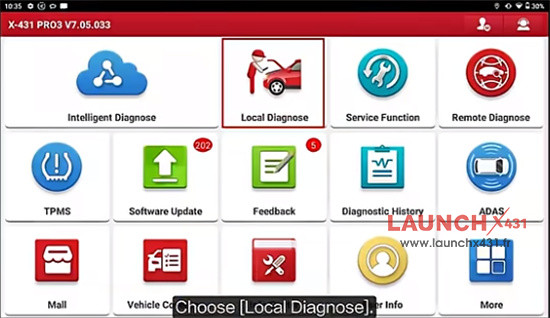
1.Tap “Local Diagnose” on the main menu
2.Select Mercedes->Mercedes-Benz V50.57 or above version-> Automatically Search
Confirm the VIN code read is right
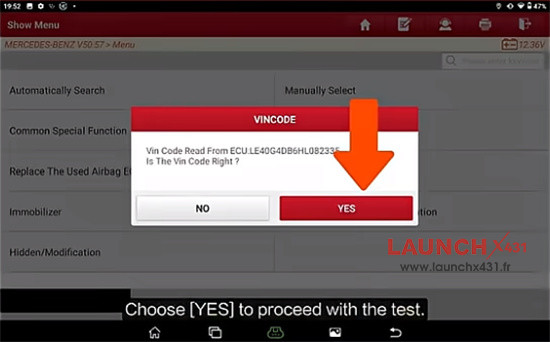
Continue and confirm the VIN code, car model and syscfgs ID are correct
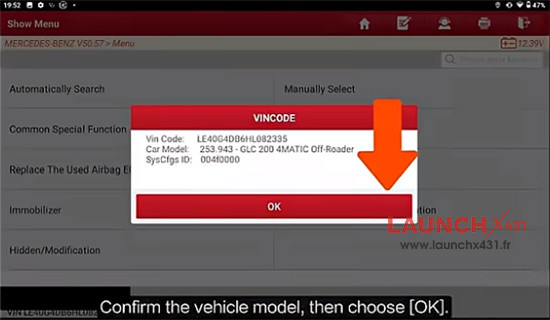
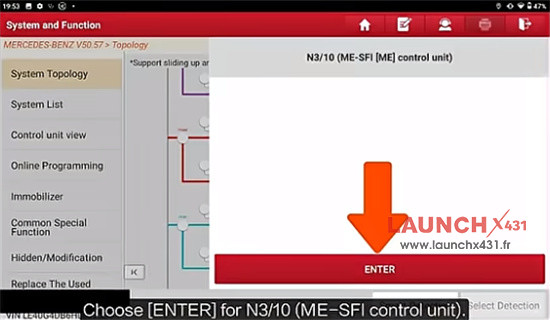
3.Scan all systems, select ECM-> N3/10 (ME-SPI [ME] control unit)->Special Function-> +Teach-in processes-> Teaching in the components-> Teach in of throttle valve stop
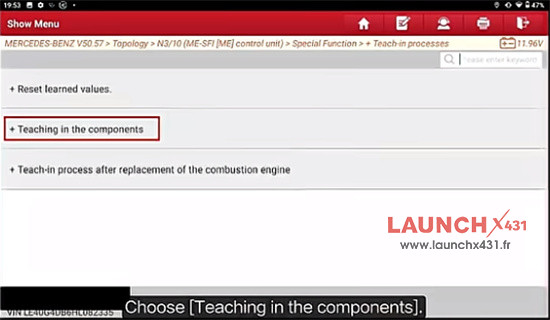
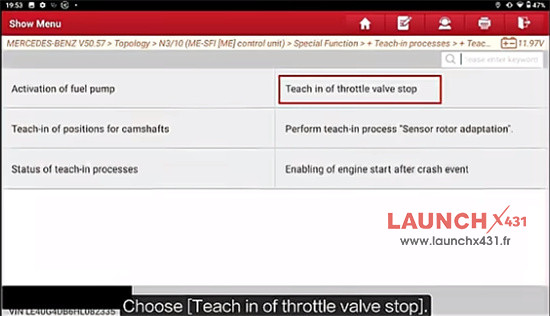
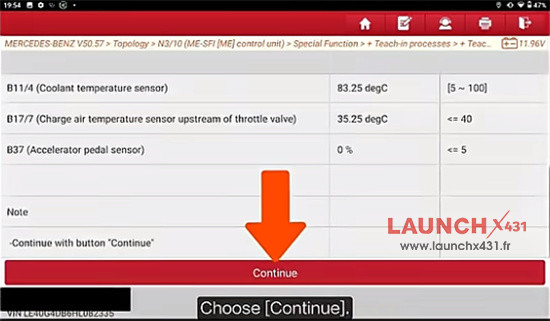
4.Read the prompts, operate the vehicle until data streams meet the standard values
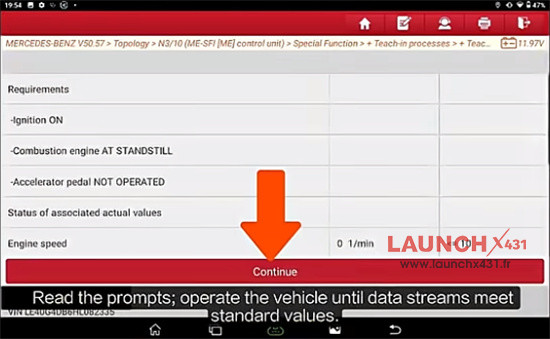
5.Click Continue
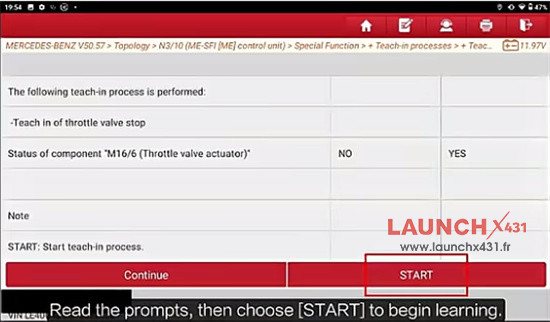
6.Read the prompts, and then click “START” to begin learning
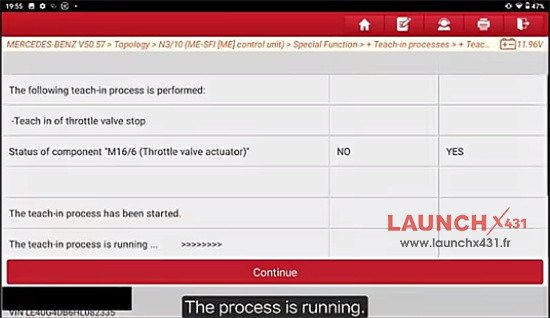
7.The teach-in process is running…
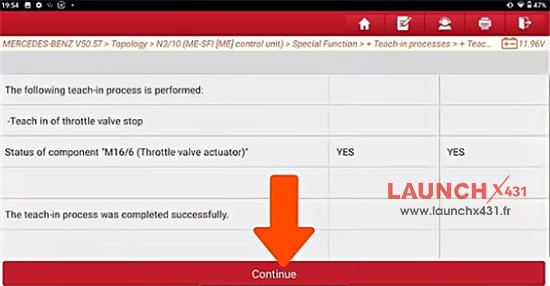
8.The teach-in process was completed successfully
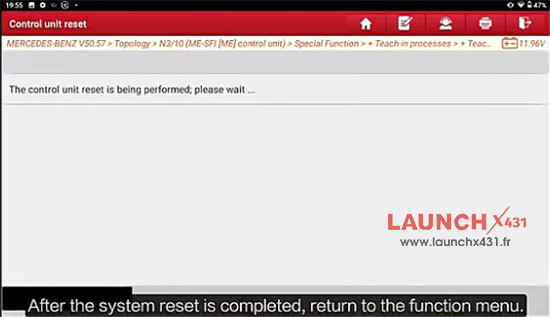
9.The control unit reset is being performed by X431 V+ SmartLINK HD
Video guide: