






Problem:
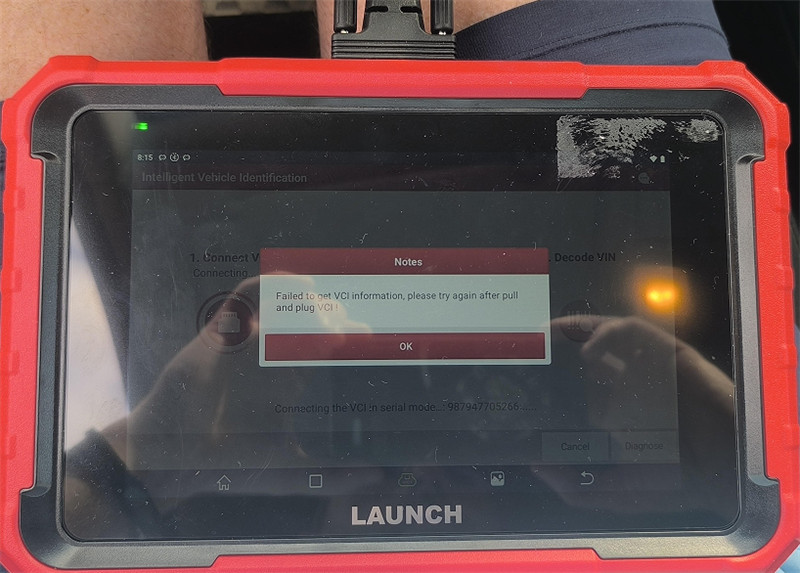
One customer gave feedback that his Launch X431 PROS Elite stopped working and prompted “Failed to get VCI information, please try again after pull and plug VCI!”.
Solution:
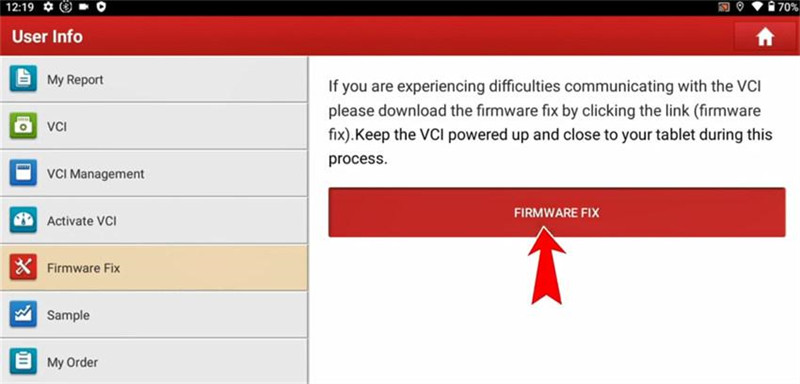
Disconnect the VCI and reconnect again, then try to fix the firmware.
- Tap User Info>> Firmware Fix>> FIRMWARE FIX
If this Chinese interface appeared, click “Clear eMMC”.
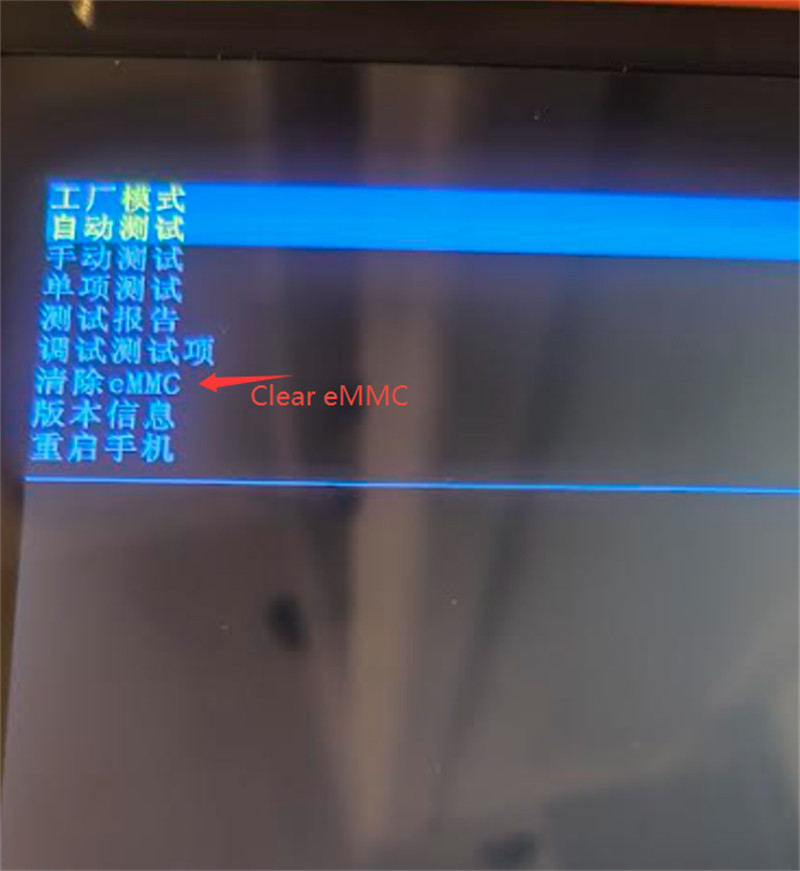
Then the issue should be solved.
Tech support:
1. Email: sales@launchx431.fr
2. WhatsApp: 187 5090 6257