



Launch X431 X-PROG 5 is an advanced 3-in-1 immobilizer programmer engineered for European vehicles. Serving as a direct upgrade to X-PROG3, it supports high-end key matching, universal remote programming, and comprehensive ECU/TCU cloning.
Below is a detailed breakdown of X-PROG 5 hardware layout and step-by-step connection procedures.
Hardware Layout & Ports
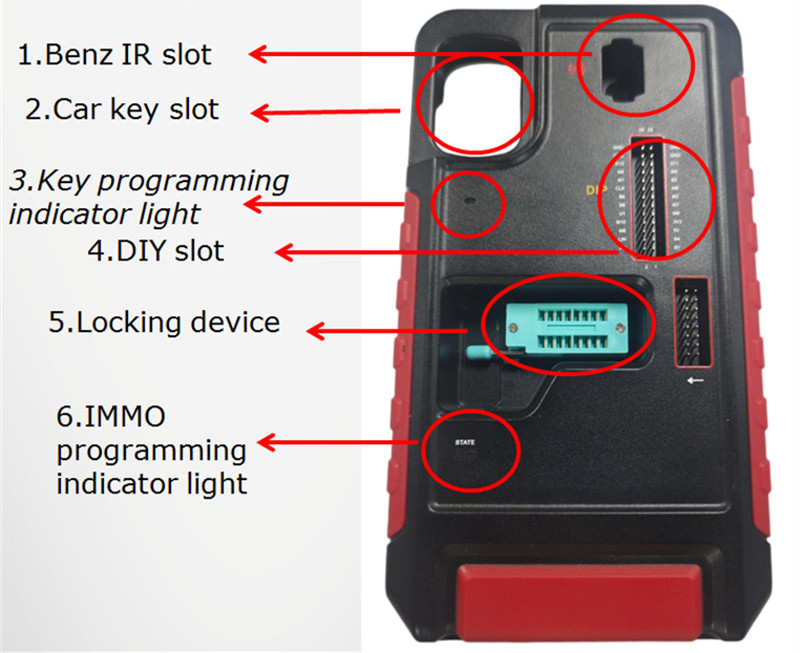
- Launch XPROG5 Front
1.Benz IR Slot: Holds Mercedes-Benz smart keys during programming.
2.Car Key Slot: Securely holds standard car keys for RF detection.
3.Key Programming Indicator Light: Displays key writing activity.
4.DIY Slot: Connects direct cables to anti-theft ECU pins for data read/write.
5.Locking Device
6.IMMO Programming Indicator Light
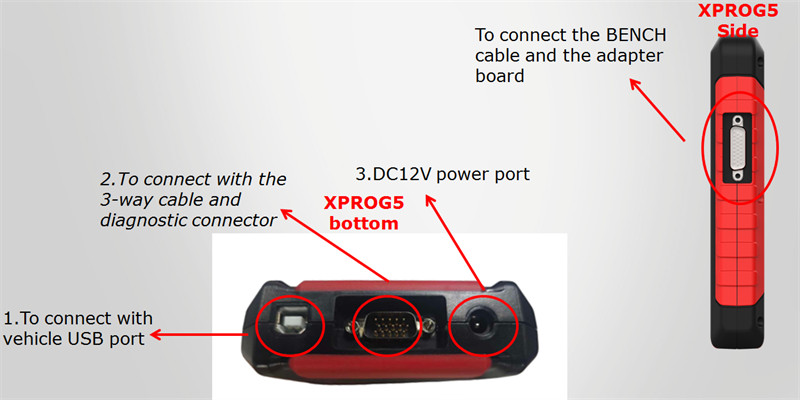
- Launch XPROG5 Bottom & Side
•Bottom Connections:
1.Dedicated connection to the vehicle’s USB interface.
2.Main diagnostic interface (connects to the 3-way cable and diagnostic connector).
3.12V DC power supply input.
•Side Interface:
Connects bench harness cables and adapter boards.
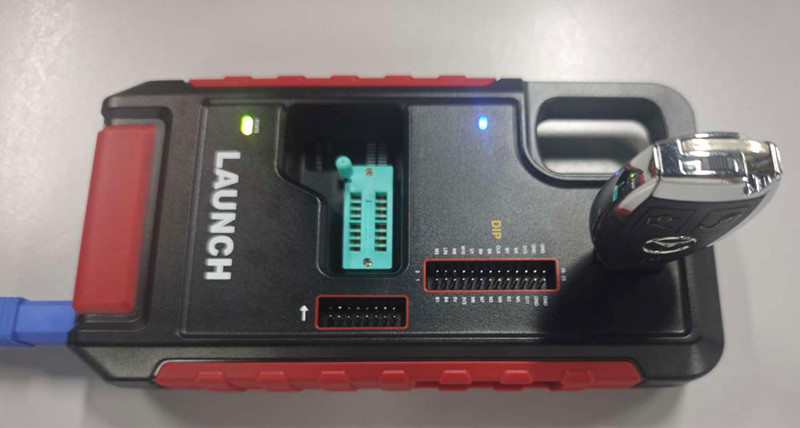
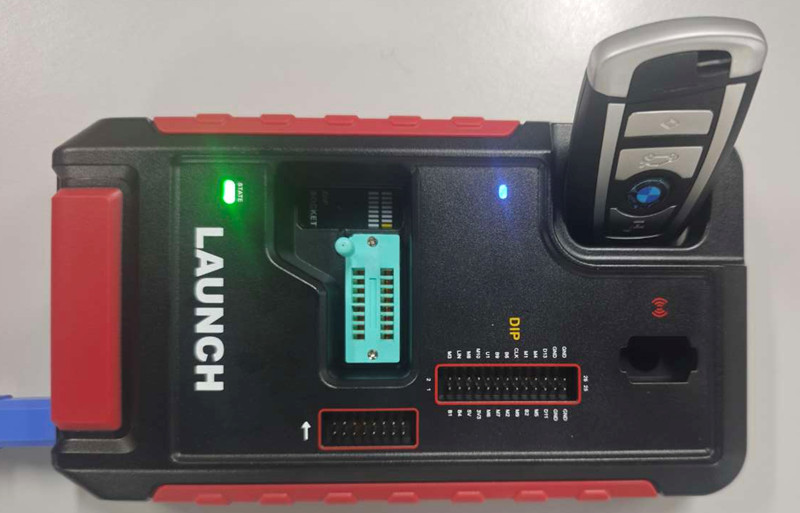
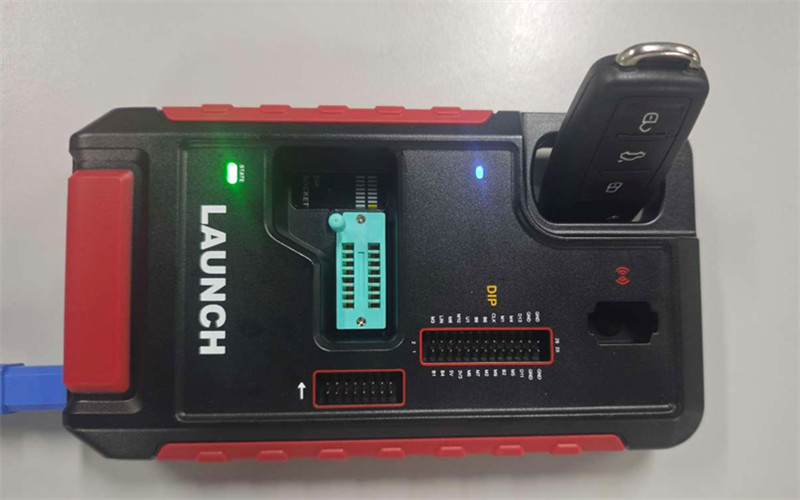
How to Position Keys on X-PROG 5
•For Mercedes-Benz Keys: Insert the key directly into the dedicated infrared (IR) slot.
•For Standard European Keys (BMW & VW): Place the key inside the primary car key recognition slot
PCB & Adapter Connections
To link a key PCB or adapter board with Launch G5, refer to the schematics below:
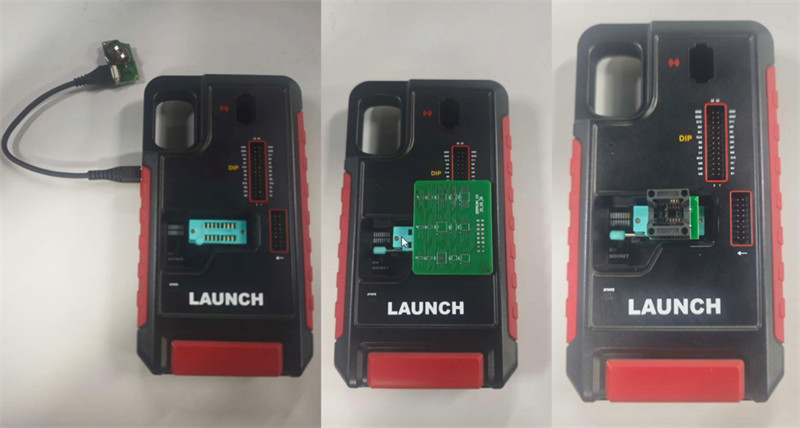
Important Notice:
The built-in Type-C port is strictly engineered for connecting key PCBs during key generation. Do not attempt to connect X431 tablets, smartphones (iOS/Android), or power delivery sources to this port.
Device Integration: PC & Tablet Connection Guide
Launch G5 works seamlessly across PC and tablet ecosystems:
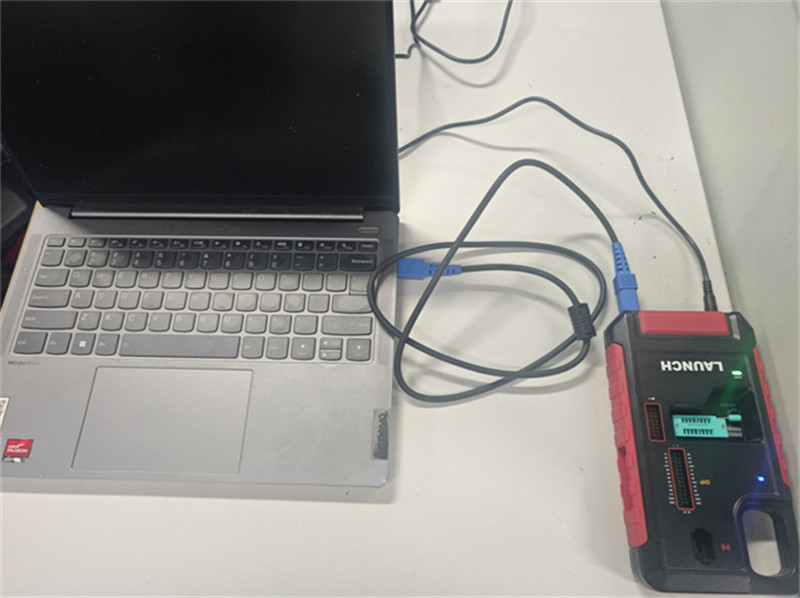
1.PC Connection (Win 8/10):
Run X431 ECU Clone software for advanced ECU/TCU reading, writing, and cloning.
Connection: Connect G5 to the PC via a USB cable and supply independent power to G5.
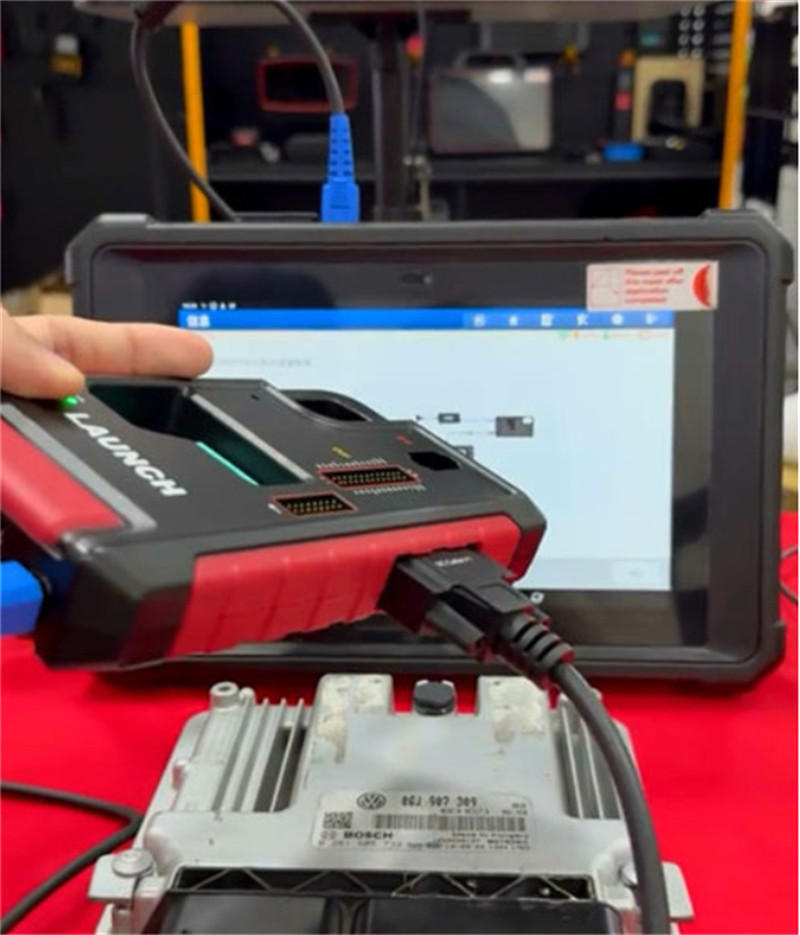
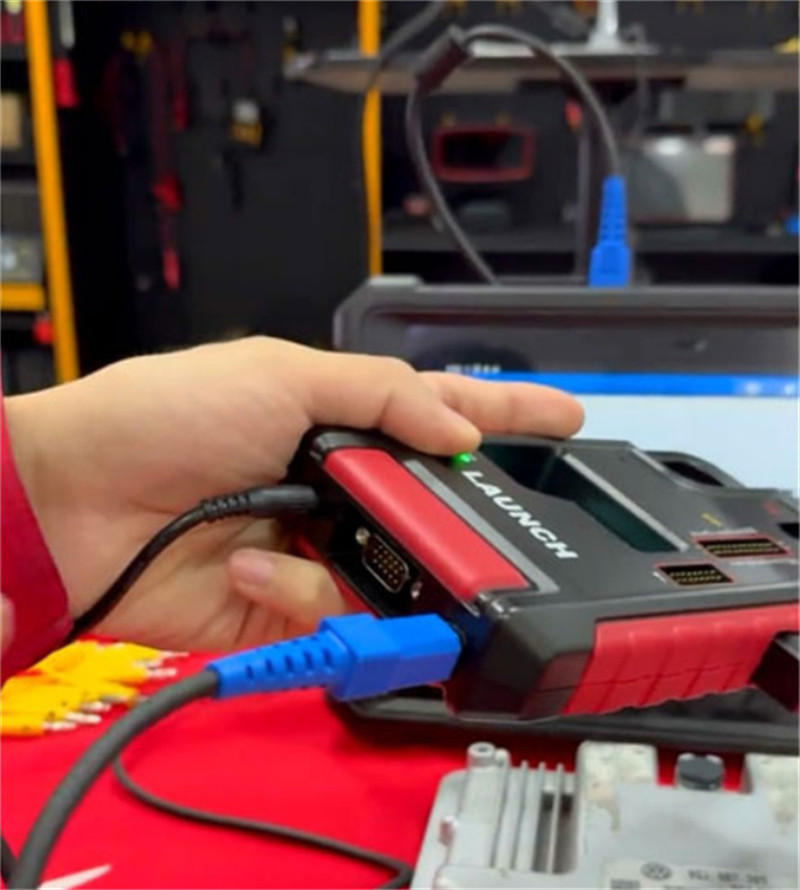
2.Tablet Connection:
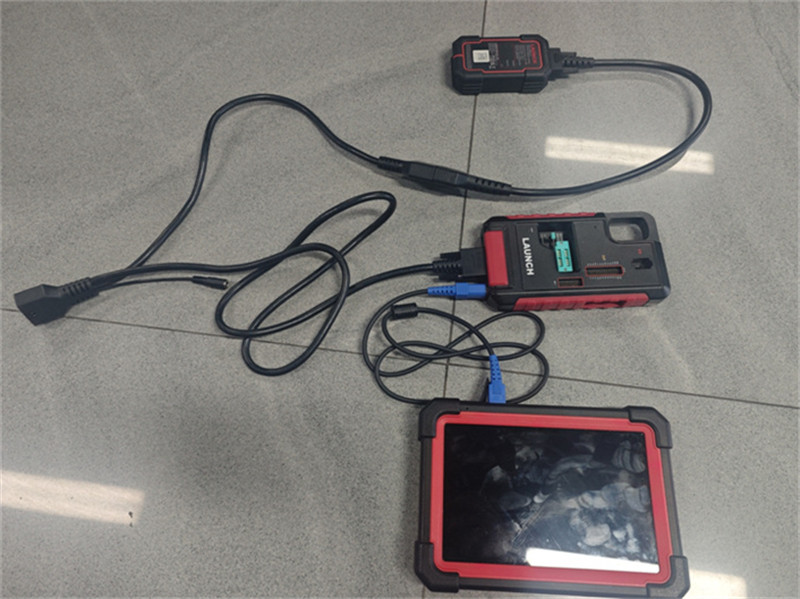
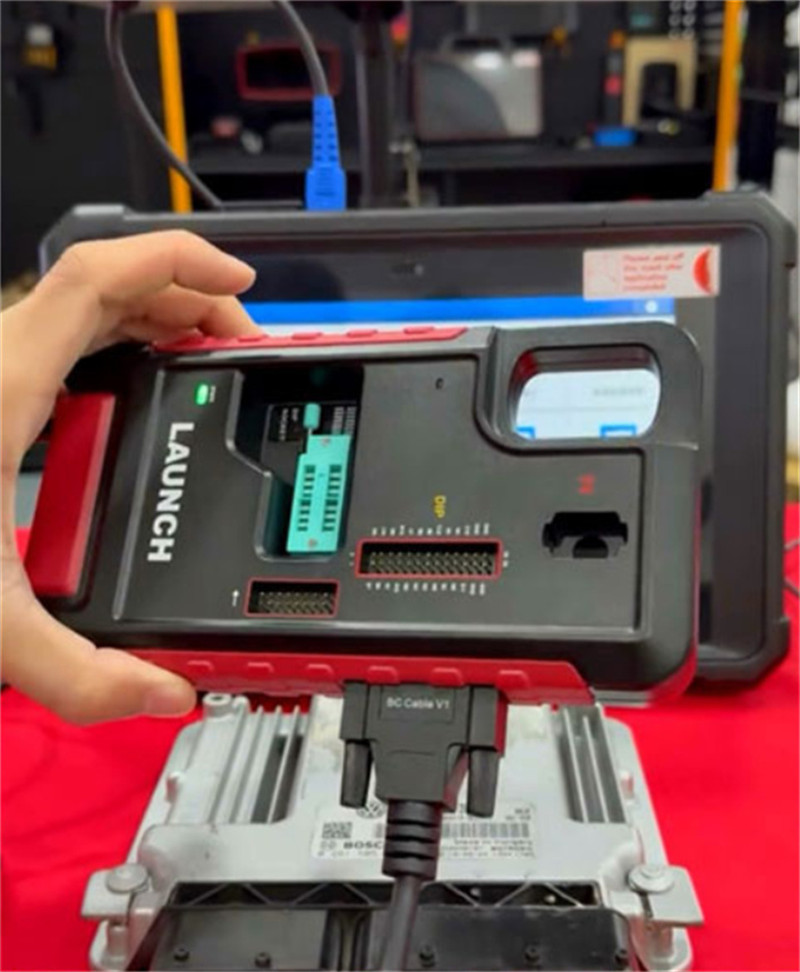
Pairs with elite tablets (like PAD V, PAD VII, PRO3 V+ ELITE, IMMO Plus/IMMO Elite, and CRP919XBT/EBT)
Connection:
Learn more:
LAUNCH X431 X-PROG5 vs. X431 X-PROG3 Key Programmer
LAUNCH X431 XPROG5: Black vs. Red Version & Naming Explained
LAUNCH X431 XPROG5: Black vs. Red Version & Naming Explained
Launch X431 XPROG5 PC Software Download, Register and Activation
Launch X431 XPROG5 PC Software Download, Register and Activation
Launch X431 X-PROG5 FAQs: Compatibility, Licensing, and Regional Locks
Launch X431 X-PROG5 FAQs: Compatibility, Licensing, and Regional Locks