




Customer problem:
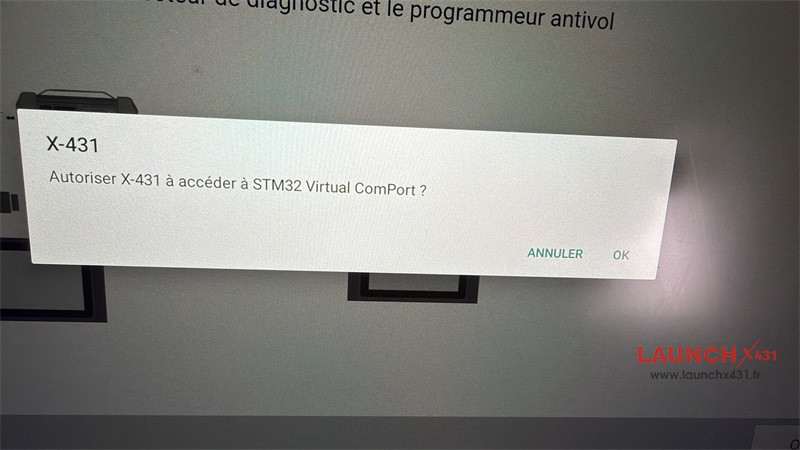
My Launch X431 PAD VII always asks this “X431 Autoriser X431 a acceder a STM32 virtual comport”. I have changed firmware …may be firmware software pc no good? But stay problem USB port no stable.
Sometimes I click “OK”, it works, but sometimes disconnect.
The Solution:
Try to reset the device to factory settings.
Resolution Steps
1.Back Up Data:
Save crucial customer diagnostic records outside the tablet memory.
2.Execute System Reset:
Open Android Settings.
Navigate to Backup & Reset (or System Options).
Tap Factory Data Reset and confirm.
3.Re-initialize Diagnostic Software:
Log back into your Launch account after rebooting.
Download the latest diagnostic software package.
Connect the VCI via USB and run Firmware Fix / Update from the app menu.
Video guide:
Tech support:
Email: sales@launchx431.fr
WhatsApp: +86 18750906257